













Maintenance of Website 101: What to Expect in 2026



Most SaaS marketing managers approaching a website project carry a quiet dread. Once the agency hands over the site and the invoice clears, they expect to need a developer just to change a headline on the pricing page. That fear shows up constantly in Reddit threads about website maintenance companies, since few teams spell out website maintenance and support before they sign. Below, you’ll find what a good handover includes, which CMS keeps you independent, the risks to watch, the tools that help, and what to ask any website maintenance agency before you sign.
The first place to check isn't your CMS. It's what the agency gave you when the project wrapped, since that handover shapes website maintenance for years afterward.
TL;DR
- A proper website handover includes documentation, recorded training, and the transfer of all credentials, not just login details.
- A well-structured content management system (CMS) allows marketing teams to manage content, CTAs, and routine updates without relying on an agency.
- Ongoing website maintenance should be based on your business needs. A monthly retainer should be an option, not a requirement.
- Regular reviews help maintain website performance, page speed, and accessibility, preventing small issues from becoming larger problems over time.
- An experienced website maintenance agency should set your team up to manage the site confidently, while providing support for larger technical changes and conversion rate optimization (CRO) when needed.
What Should a Good Agency Handover Look Like?
Most SaaS teams don't realize what a complete handover includes because they've never received one. A good handover should leave your team with everything needed to manage the website confidently from day one.
- CMS documentation: A page-by-page guide to every editable section, including pricing tiers, feature pages, integration listings, and customer logos, not generic Webflow or WordPress docs.
- Recorded training: Walkthroughs for the SaaS tasks you’ll repeat most, such as launching a feature page, adding a case study, changing a pricing plan, or publishing a changelog post. Your team can rewatch recordings, while live sessions fade within weeks.
- Full asset handover: Figma files, the component library, icon sets, font licenses, product screenshots, and UI mockups are all moved into your own workspace.
- Complete credentials and access: Admin access to hosting, DNS, the CMS, GA4, Google Search Console, and connected GTM tools such as HubSpot or Salesforce, with no agency-owned logins.
- QA sign-off: A final check that page speed optimization, mobile layouts, demo and trial forms routing to your CRM, UTM capture, and analytics events all work before sign-off.
- A 30-day post-launch review: A check-in once real traffic arrives, covering demo-form routing, attribution, and any page that underperforms in its first month.
These are the minimum standards for website maintenance and support to work in your favor, and they turn website content maintenance into work your marketing team can own. If an agency treats any of these as paid extras in its website maintenance services, you want to know that before you sign.
Dinesh Bhatia, assistant vice president at ICICIDirect, made a related point about cross-functional projects on LinkedIn. Projects rarely run late because developers are slow, he wrote. They run late because nobody mapped the dependencies or made blockers visible early.
A handover works the same way. Without a documented map of what you own, small gaps compound into real blockers weeks later.
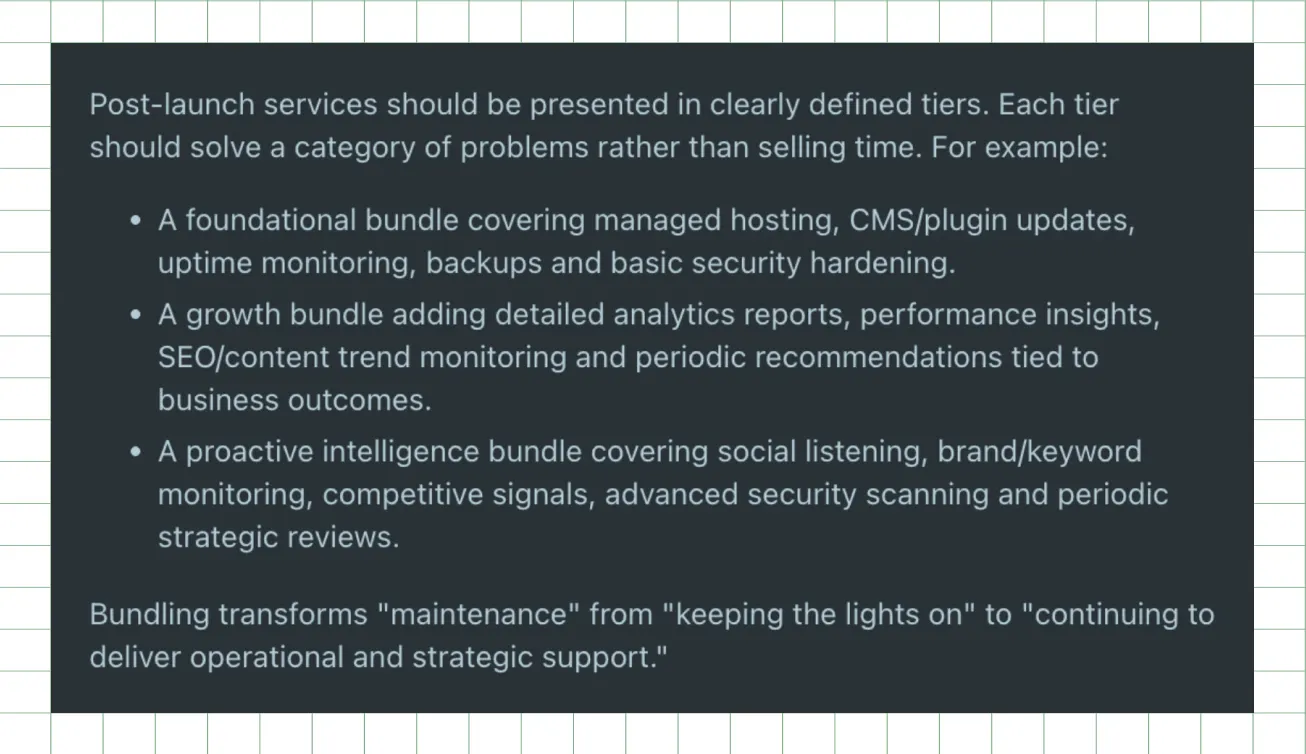
Launch is simply the point of entry, and the website redesign process only pays off in the long term when website upkeep is treated as a productized, recurring service, not something you react to when a page breaks. He also noted:
Even the most thorough handover only works if the platform beneath it was built for marketer independence in the first place, which is exactly where your choice of CMS starts to matter.
Suggested Read: 12 Website Design Elements Every High-Converting Site Needs
Which CMS Gives You the Most Independence After Launch?
Post-launch independence starts with the content management system (CMS) your site runs on. Here's how three common SaaS platforms compare, judged by how much control a non-technical marketer can exercise without a developer.
Webflow gives marketers a strong visual editor and CMS collections they can update without code. Logic-heavy integrations still need a developer. Similarly, WordPress has the widest plugin ecosystem and the largest talent pool, but plugin conflicts and security patches require active monitoring, which is where website management stops being optional. On the other hand, Framer moves fast on design iteration, though its content tooling is less mature for teams publishing at volume.
Freehand shows how much the build shapes your independence after launch. The US-based company builds AI agents that manage enterprise supply chain spend and recently raised a $75 million Series B. We designed and built its website on Webflow, with a structure the marketing team can extend: the footer groups pages into Solutions, Industries, AI Agents, Compare, and Roles, and each group ends in a “View all” hub. A new industry or comparison page slots into an existing collection, with no rebuild needed to place or link it.
Ayush Barnwal, co-founder at ThunderClap, announced the launch on LinkedIn, calling out “branding and design that resonates with their business.”
The platform matters less than the documentation and training you receive. A well-documented WordPress site will serve your team better than a Webflow site nobody trained you on.
Knowing what your CMS allows is one side of the equation. Knowing what quietly breaks without anyone watching is the other.
Also Read: Positioning That Wins: How to Make Complex B2B Products Clear and Compelling
What Are the Real Risks of Managing Without Ongoing Support?
Managing your website without ongoing support isn't inherently risky. It simply means knowing which tasks your team can handle internally and which ones require regular technical oversight.
Most SaaS marketing teams can comfortably manage publishing blog posts and updating website copy, CTAs, images, and meta descriptions. They can also create new pages using existing templates, as well as make basic form updates and adjust CRM integrations.
The bigger risks tend to develop gradually rather than all at once.
- Website performance: Third-party scripts, chat widgets, plugins, and new content slow a site over time. Set a performance budget using Google’s “good” Largest Contentful Paint threshold of 2.5 seconds, and re-test your homepage, pricing, and demo pages every month.
- Security vulnerabilities: Plugins carry most of the risk on WordPress. Patchstack’s latest State of WordPress Security report found 11,334 new vulnerabilities in a year, 91% of them in plugins, and about half of high-impact ones get exploited within 24 hours. On WordPress, the maintenance of website security means patching weekly, not quarterly.
- Conversion rate optimization (CRO): Conversion rates rarely drop because of one major issue. Small UX changes, outdated messaging, and unnoticed friction wear them down. Review demo and trial conversion rates every month, and investigate any drop of more than 10% against your post-launch baseline. If your team lacks the bandwidth to run those tests, the conversion rate optimization agencies in our roundup specialize in this work for SaaS sites.
- Website accessibility: Every new page, image, and component can erode accessibility. WebAIM’s latest Million report found 95.9% of home pages had detectable WCAG 2 failures, with low-contrast text on 83.9% and missing alt text on 53.1%. Run an automated accessibility check on every new template before it goes live.
The lesson extends beyond design systems. Documentation only works when it's practical for the team responsible for maintaining the site. If it's too complex, incomplete, or disconnected from day-to-day workflows, it quickly falls out of use, and the maintenance of website standards, including accessibility, consistency, and performance, gradually declines.
Most of these risks are preventable. They don't require an agency on speed dial, but they do require good documentation, the right monitoring tools, and a consistent review cadence.
What Tools Can Help You Manage Your Website Independently?
These tools allow SaaS teams to manage and monitor their websites without relying on a developer for everyday changes or basic troubleshooting.
- Google Search Console helps you track indexing status, crawl errors, and keyword performance, giving you visibility into how your site appears in search without needing technical intervention.
- Hotjar or Microsoft Clarity provides heatmaps and session recordings that show how users actually interact with your pages, making it easier to identify UX friction points.
- Screaming Frog (free tier) crawls your website to surface broken links, redirect chains, duplicate content, and missing meta tags, which are common maintenance issues on growing sites.
- GTmetrix or WebPageTest lets you run regular page speed optimization checks so you can monitor performance changes over time rather than reacting after rankings drop.
- Loom helps document internal workflows by recording walkthroughs, ensuring that knowledge about site structure and processes doesn’t stay locked with one person.
- Notion or Confluence acts as a central system for documenting site structure, governance rules, and update processes, effectively functioning as a living website redesign checklist for B2B SaaS teams.
Finally, your native CMS editor remains the primary tool for day-to-day updates, including editing copy, publishing pages, updating CTAs, and making light layout changes without engineering support.
Dinesh Bhatia's LinkedIn post on dependency management applies here, too. He recommends a short weekly review to surface blockers early, plus a simple visibility dashboard so that problems get flagged rather than buried. Applied to a website, a recurring 15-minute check against your website performance and accessibility numbers catches drift long before it shows up in your traffic.
These tools don’t replace professional website maintenance and support, but they do give internal teams enough visibility and control to manage day-to-day operations confidently. The same discipline matters even more during an SEO website migration, where maintaining rankings depends on catching small technical issues before they compound.
Tools give you visibility, but they don’t replace the judgment needed to know when your website has outgrown internal ownership.
{{specficBlog}}
When Does It Make Sense to Keep an Agency on Retainer Post-Launch?
A retainer conversation should feel straightforward and practical, not like a sales pitch. Many SaaS teams do not actually need ongoing support after launch if their website is set up properly.
Signs you probably do not need a retainer:
- Your site is stable and well-documented, and your team can make updates without raising support tickets
- You are in a steady maintenance phase with no major campaigns, rebrands, or positioning changes planned
- You have an in-house developer or technically capable marketer who can handle structural updates when needed
Signs a retainer for ongoing website maintenance genuinely adds value:
- You're running continuous conversion rate optimization (CRO) experiments where hypothesis and iteration need a consistent partner, not a one-off project
- You're entering a growth phase (new markets, a rebrand) where change outpaces a project model, similar to how a rebranding agency can boost B2B pipeline performance
- Core web vitals, or website accessibility metrics, are starting to drift and affect landing page performance, a pattern often seen in poorly maintained B2B website designs over time
- Your team is scaling faster than the site, with new pages and integrations piling up faster than anyone can manage reactively
A retainer should be a clearly scoped, scheduled growth engagement rather than an open-ended hourly buffer. You should always know what is included, how often work is reviewed, and what your team can still handle independently between cycles. Compared with the cost of a full website redesign, a well-structured retainer is often the more stable option and helps ensure that website quality maintenance does not become a reactive, once-a-year fix.
Mayank Goyal, Co-founder at Growzzy Media, wrote about this exact timing question from the agency side. In his view, businesses often bring in agencies either too early, before product-market fit is clear, or too late, after marketing work has already expanded beyond what founders can realistically manage.
His honest marker for the right time is consistent revenue, an offer that already converts, and a team that's outgrown managing disconnected freelancers alone.
Freehand's experience shows what a well-timed retainer actually solves. When the company launched as an AI platform for freight operations, the challenge extended beyond design execution. The company needed to reposition itself in the market and communicate a new category story to enterprise buyers.
The question is not whether a retainer is needed. The more useful question is what it would actually be used for. If it enables meaningful growth work, it has a clear role. If it only exists as a buffer for uncertainty, it usually does not.
Understanding when to bring in support is one part of the decision. The next is understanding what effective support looks like in practice.
A Deep Dive: Best B2B Website Designs: What You Should Copy to Increase Conversions
How ThunderClap Approaches Post-Launch Support for SaaS Companies
ThunderClap runs every project through a structured 10-week process before any conversation about ongoing support begins. It starts with a two-week product clarity audit that identifies where positioning is losing enterprise deals. From there, in-house PMMs shape strategic positioning that holds across the entire GTM motion.
The next four weeks focus on web design and development, with performance-led engineering and reusable components that internal teams can continue shipping after launch. The process concludes with launch, followed by rigorous QA and 30 days of structured post-launch support.
ThunderClap includes a 30-day window on every project by default. It covers CMS documentation, recorded training sessions, full credential transfer, QA sign-off, and post-launch monitoring, all delivered as part of the project rather than added later.
Beyond that sits an optional retainer designed for active growth teams. It includes proactive monitoring to catch issues before they reach users, fast response times for urgent fixes, ongoing website performance tracking, and continuous conversion rate optimization (CRO) driven by real usage data. Instead of defaulting every client to long-term contracts, ThunderClap structures support around need, allowing teams to choose between a focused sprint or ongoing website maintenance services based on internal capacity and growth stage.
Zamp is a useful example of this approach in practice. The fully managed sales tax platform competes with incumbents such as Avalara and TaxJar, and as it moved upmarket, its website stopped reflecting a product that CFOs and Controllers would trust with compliance.
ThunderClap rebuilt the brand and site from scratch. The new positioning rests on three pillars: owned data, elite accuracy, and in-house tax experts. Persona-driven paths now guide finance buyers toward a demo, and transparent pricing and managed-service highlights sit right on the homepage. After launch, Zamp’s site leads with the proof enterprise buyers check first: 99.9% filing accuracy, onboarding in under two hours, and support responses in under one hour, backed by more than $30 million raised and G2 recognition.
Whether you're evaluating ThunderClap or any other agency, the questions below separate the ones who build for your independence from the ones who don't.
{{specficService}}
What Should You Ask a Web Development Agency About Post-Launch Support Before Hiring Them?
Use this checklist when evaluating any website maintenance agency. The difference between a strong and a weak partner usually becomes obvious in how directly they answer these questions.
- What does your standard handover include? (Ask for specifics, documentation, recordings, credentials, and a QA sign-off.)
- Will you have full admin access to every platform (hosting, DNS, CMS, analytics) from day one?
- Is post-launch support included in the project cost, or does the clock start immediately after launch?
- Can they show a sample CMS guide or training recording from a past client?
- What's the response process if you find a bug 60 days after launch?
- If you want a small edit (a CTA, a team bio, an updated stat), do you need to go back to them for it?
- If you decide you no longer want ongoing website maintenance, what does "clean independence" look like?
These questions aren't just about delivery; they're about how much control you will retain once the project ends. Strong partners design for independence from the start, while weaker ones create long-term dependency by default. If you are comparing options, take time to choose the right web design partner who prioritizes ownership, clarity, and long-term usability over locked-in support models.
If you want post-launch support that goes beyond basic fixes, ThunderClap’s maintenance and support model is built for exactly that stage. It includes proactive monitoring, fast response times, and ongoing optimization based on real user data, so your website keeps improving after launch instead of slowly degrading.
{{ctaBlock}}
FAQs
1. Can I manage my website without hiring an agency?
Yes, you can manage most day-to-day website tasks without hiring an agency. Blog publishing, CTA edits, image swaps, and page builds from templates can all be handled in-house with a well-structured CMS, as long as your team receives proper training during handover. You will still need external support for deeper work, such as architecture changes, performance audits, and custom integrations, which is exactly where ThunderClap typically steps in with its 30-day post-launch support, covering proactive monitoring, performance optimization, and scalable engineering support.
2. What tools can help me manage my website independently?
Google Search Console helps with indexing and keyword tracking; Hotjar or Microsoft Clarity provides session recordings for UX insights; GTmetrix or WebPageTest monitors page speed optimization; and Screaming Frog checks crawl health and technical issues. Your CMS editor remains the main tool for content changes, while Loom helps document workflows so training knowledge does not get lost as the site evolves.
3. What are the risks of managing a website without professional support?
The risks of managing a website without professional support are usually gradual rather than immediate. Page speed can decline as scripts and plugins accumulate, conversion rates can drift without ongoing CRO monitoring, security vulnerabilities can surface due to missed updates, and website accessibility issues can compound as new content is added without regular audits. None of these failures typically happens suddenly, which is why they are often missed until performance is already affected.
4. How much do website maintenance services cost?
The typical cost of web maintenance services depends on site complexity, monthly request volume, whether design work is bundled with development, and the extent of strategic support (CRO and SEO input costs more than pure technical upkeep). ThunderClap retainers start at $3,500 per month, depending on those factors. Ask any agency to break down their pricing this way, since the scope of website maintenance varies widely depending on who's quoting it.




Browse Similar Articles










Leading 5 SaaS Branding Agencies in Florida (That Actually Understand SaaS Growth)



How to Turn Your B2B Website into a Self-Serve Growth Engine? (PLG Ready in 2026)


9-Step Website Copy Audit Checklist to Improve Conversions (Examples from Top B2B Brands)



How to Choose the Right Fintech Web Development Company for Your Business

Top B2B Website Design Principles That Turn Visitors into Qualified Leads


How to Do a Conversion Rate Optimization (CRO) Audit That Actually Improves Revenue
Web Design Agency vs. Freelancer vs. In-House: What Actually Works in 2026

5 CRO Agencies in London and How to Choose the Best CRO Agency for Your Business


The Ultimate Fintech B2B Positioning Guide for 2026 (That Actually Drives Conversions)

Mapping the B2B Buyer Journey to Improve Conversions Across Every Touchpoint

7 Best Website Maintenance Companies in India for Growth-Led B2B Teams (2026)




8 Best Healthcare Website Design Agencies for HIPAA-Compliant Sites in 2026

How to Find the Best Web Design Company in Houston, Texas for B2B Brands (6 Best Picks)

Positioning That Wins: How to Make Complex B2B Products Clear and Compelling
The Step-by-Step Website Redesign Process B2B Teams Use to Increase Conversions (Without Killing SEO and Pipeline)

7 Best Video Production Agencies for SaaS Product Walkthroughs and Feature Videos

How to Choose the Best B2B Website Maintenance Company: 9 Questions to Ask Before You Hire One


How to Choose a Web Design Company in San Francisco in 2026 (with Examples)

10 Best Web Design Companies in Florida in 2026 and How to Choose the Right One

How to Use Brand Storytelling on Your Website to Close More B2B Deals and Build Buyer Trust

SaaS CRO Best Practices: What High-Growth Brands Do Differently to Win Conversions

How a Rebranding Agency Can Redefine Your B2B SaaS Identity and Boost Pipeline


B2B Marketing Trends in 2026 That Directly Influence Pipeline and Revenue

Top 7 Video Marketing Agencies Driving B2B SaaS Brand Awareness in 2026

Why Partnering with a B2B Brand Positioning Agency Accelerates Market Differentiation

The Complete Website Redesign Checklist for B2B SaaS Teams Ready to Scale

10 Best Webflow Development Agencies in India for 2026 (In-Depth Review)

10 Product Marketing Companies Powering the Fastest-Growing SaaS Brands in 2026
Website Copywriting Services vs In-House: What's Right for Your Business?


How to Choose a Marketing Agency That Understands B2B SaaS Growth Metrics


How to Choose a Video Marketing Agency That Understands B2B Storytelling
Outsourcing Web Design: Cost-Benefit Analysis for Mid-Market & Enterprise Brands

From Leads to Lifetime Value: How Growth Marketing Agencies Scale SaaS Revenue

Build a B2B Website Strategy That Aligns with Sales and Marketing Goals
Webflow vs WordPress: Which Platform Is Better for Your Business Website in 2026?

Fintech Web Design That Builds Trust: 8 UX Principles Every Fintech Site Needs

Optimizing for Intent: How B2B Website Messaging and UX Changes Help Capture Top-Funnel Buyers



12 Best B2B Web Development Agencies in the US to Build Scalable Websites

From Audit to Action: 8-Step Process to Optimize Your B2B Website Strategy for 2026 Buyers

How to Design a High-Converting Landing Page from Scratch (2026 Edition)

From Click to Customer: Proven Landing Page Conversion Optimization Techniques

How to Write Website Copy That Converts: A Step-by-Step Guide for 2026


Interested in seeing what we can do for your website?