















SEO Website Migration: A Step-by-Step Guide to Preserve Rankings



TL;DR
- Website migrations reshape URLs, structure, and indexing signals, so teams must treat SEO as a core strategy from day one.
- When teams ignore early alignment, migrations quickly break SEO. For example, a 2025 Gartner report shows that only 48% of digital initiatives meet their goals, proving that poor coordination directly leads to underperformance.
- To prevent that, teams must audit existing sites, identify high-value pages, and map 1:1 301 redirects to allow search engines to transfer authority without disruption.
- Next, teams should retain critical SEO elements and internal linking while minimizing URL changes, so search engines continue to understand and rank content consistently.
- Finally, teams must monitor performance post-launch (30–90 days), fix crawl errors, and update backlinks, turning migration from a risk into a growth opportunity rather than a ranking loss.
- At ThunderClap, this structured approach has delivered measurable impact, driving up to 80% growth in demo requests and organic traffic post-migration.
Grab a coffee because this guide will walk you through an SEO website migration in a way that actually makes sense. It can feel like a lot at first, and that’s completely normal.
There are several reasons to migrate your website. You might want stronger security with a new hosting provider, a refreshed brand look, or a better user experience. Whatever the reason, the goal stays the same. You need a process that lets you update your site without compromising your rankings, traffic, or revenue.
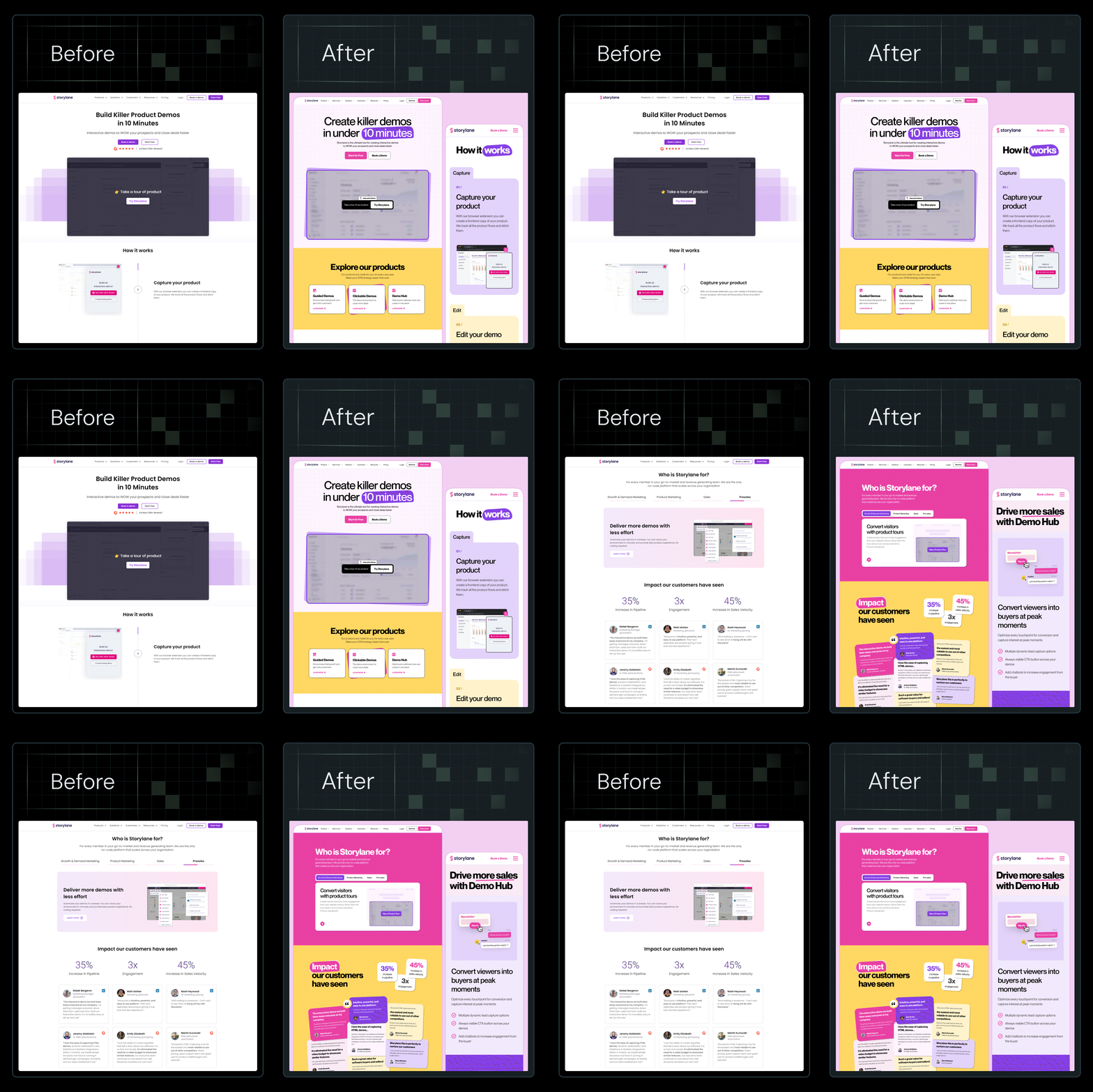
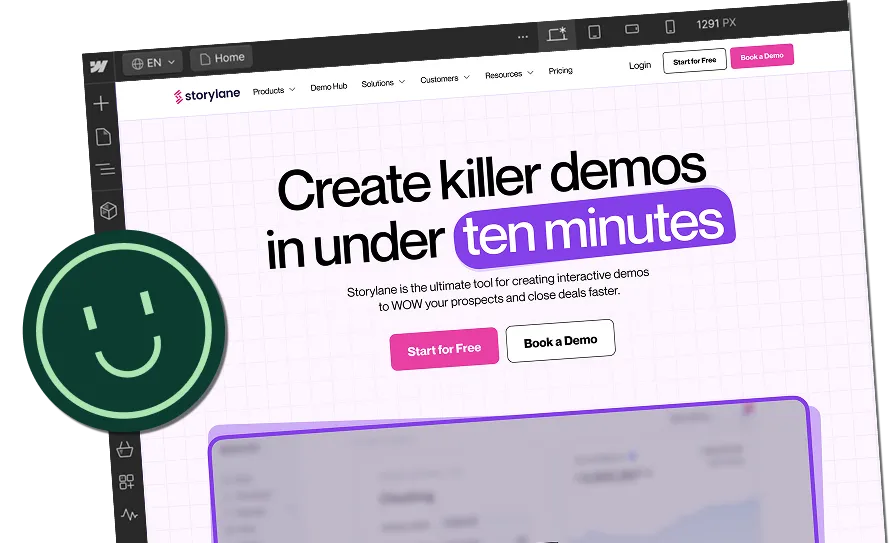
At ThunderClap, we’ve worked with SaaS and enterprise teams like Amazon, Storylane, Factors, roommaster, Zamp, Dropit, Wizcommerce, and DPDZero to handle these exact situations. After redesigns, demo requests, and organic traffic have grown by up to 80%.
Start here to get the full picture, then come back as you move through each step to fully leverage this ultimate website migration SEO checklist to successfully launch your site.
What is an SEO Website Migration (and Why It’s Risky)
But first, a bit of background…
What counts as a website migration
An SEO website migration is a broad term for any major change to your site that affects how it’s structured, accessed, or presented. It can take many different forms, and each one comes with its own set of SEO challenges. What stays constant, though, is the level of thought and planning it requires.
Every migration needs a clear plan from the start.
It might sound obvious, but SEO needs to be part of the conversation from day one. Too often, it gets pulled in late or overlooked entirely, even in large enterprise teams. We’ve seen this play out more times than we can count.
Most migrations tend to fall into a few common categories:
- Website redesign
- CMS or platform migration, such as migrating from WordPress to Webflow
- Domain changes
- URL structure updates
- HTTPS migrations
Each of these affects how search engines crawl and index your site. Even small changes can have an impact, which is why SEO needs to stay part of the process from the very beginning.
Why SEO can break during migrations
There is no way to sugarcoat it, but site migrations can put your SEO at risk. For example, many migrations fail because teams focus on design and ignore SEO fundamentals.
Here are common causes of ranking loss:
- URL changes without redirects
- Missing metadata and structured data
- Broken internal links
- Pages that search engines fail to index
Recent research shows that when teams don’t align technical and business priorities early, digital initiatives struggle to deliver results. In fact, a 2025 Gartner survey found that only 48% of digital initiatives meet or exceed their business outcome targets, meaning more than half underperform due to uncoordinated systems and teams.
Search engines rely on consistency, and when that consistency breaks, rankings drop.
When SEO should be involved in a redesign
As mentioned above, SEO needs to be in the room from the very beginning. A single redesign reshapes site architecture, URLs, navigation, content flow, and technical elements that search engines rely on to understand and rank your site.
If SEO isn’t part of those early conversations, it’s easy to make choices that feel right visually but break how search engines see your content.
Industry experts agree that waiting until after the design is built is too late. For example, LinkedIn experts like Samy Thuillier warn that a redesign can quietly affect years of SEO value if it’s not planned carefully.
You can read his full breakdown here for more context.
SEO should help shape aspects such as site structure, internal linking, metadata rules, and URL strategy before a single page layout is finalized. In practice, that means involving your SEO team or consultant:
- During discovery and planning
- Before design and development begin
- Before launch and during post-launch monitoring
Bringing SEO in early also helps catch potential problems before they become expensive fixes, from indexing issues to redirect planning, and turns what could be a risky launch into an opportunity for growth.
Pre-Migration SEO Checklist (Before the New Site Goes Live)
Your website migration SEO checklist lays the groundwork for preserving rankings, traffic, and revenue during the transition.
Following these steps carefully helps prevent costly mistakes and helps search engines continually understand your site.
Crawl and audit the existing website
Before you touch the new site, you need a complete snapshot of your current site. Crawling and auditing capture everything search engines rely on to understand your content and structure.
Your audit should capture:
- All existing URLs: Make a complete inventory of every page, including hidden or low-traffic pages.
- Metadata: Titles, meta descriptions, and meta robots tags that contribute to SEO performance.
- Canonical tags: Document canonicalization properly to prevent duplicate content issues.
- Internal links: Map how pages link to one another to maintain link equity and support user navigation.
Use tools like Screaming Frog, Ahrefs, or Sitebulb to export your full site crawl. This inventory forms the foundation for your redirect plan and helps identify potential risks.
Identify high-value SEO pages
Not all pages are created equal. Some drive most of your organic traffic, conversions, or backlinks. These pages deserve extra attention during migration.
Prioritize pages with:
- Strong rankings: Pages currently ranking for high-intent keywords.
- High organic traffic: Pages contributing the most sessions and engagement.
- Backlinks: Pages with significant external links that carry authority.
Highlighting these pages early ensures they are preserved and protected during the migration, reducing the chance of ranking drops.
Create a redirect mapping plan
Redirects are the single most important technical step in any website migration. Properly mapping old URLs to their new equivalents transfers SEO value, keeps users happy, and maintains search engine trust.
Your redirect plan should include:
- Old URLs → new URLs: Every existing page should have a clear destination.
- Removed pages → relevant replacements: If a page won’t exist on the new site, point it to the closest relevant page instead of leaving it to 404.
A 301 redirect tells search engines and users that a page has permanently moved. This makes sure:
- Search engines index the new URL: Google and other search engines transfer ranking signals from the old page to the new one.
- SEO value is preserved: Authority from backlinks, traffic, and engagement carries over.
- Users don’t hit 404 pages: Anyone clicking old links, on other sites, emails, or bookmarks, lands on the correct new page instead of a broken page.
To make sure your redirect plan actually protects SEO and user experience, follow these best practices:
- Use 301 redirects: Each old URL should redirect to the most relevant new page.
- Avoid redirect chains or loops: Multiple consecutive redirects confuse search engines and slow page load times.
- Prioritize high-value pages first: Start with pages driving the most traffic, conversions, or backlinks.
- Test all redirects in staging: Verify that every redirect works before launch to prevent errors and maintain user experience.
Prioritize redirects for high-value pages first, then address lower-traffic pages to protect overall SEO performance.
{{specficBlog}}
Preserve SEO elements
SEO isn’t just about URLs and redirects. Every on-page element that contributes to rankings should move to the new site intact.
Make sure your migration preserves:
- Titles and meta descriptions: Keep the existing optimized copy or carefully improve it.
- Headings and content: Maintain hierarchy, keywords, and the context of internal linking.
- Schema markup: Structured data that helps search engines understand your pages.
- Alt text: Preserve descriptive image text for accessibility and image search SEO.
Document these elements during your audit, then double-check them on the staging site. Preserving them ensures your migration doesn’t erode the SEO equity you’ve built over time.
How to Migrate a Website Without Losing SEO
On launch day, review your SEO carefully and relay any issues to your development team right away. Use this checklist to stay on track.
Maintain URL structures where possible
One of the easiest ways to protect SEO during migration is to keep your URLs consistent. Changing fewer URLs reduces risk because search engines are already familiar with your existing URLs, and link equity is preserved.
If changes are unavoidable, plan 301 redirects carefully (more on that below). Every unnecessary URL change introduces a potential weak point in your SEO.
For example, when ClearlyRated approached us for a website revamp, fixing their messaging wasn’t their priority. But our audit revealed the real issue. In fact, their product pages explained what the platform did without making it clear why it mattered to buyers.
.webp)
We rewrote the website copy to lead with business impact for each ICP. Post-launch, they witnessed a 101% increase in active users, 82% increase in total views, and 14% increase in organic clicks. The clear URL structures, combined with improved messaging, kept the migration from harming SEO and amplified the impact of the new positioning.
As Stephen Banbury, VP of Marketing at ClearlyRated, shared:
“A big thank you to the whole team. The entire team was a pleasure to work with and quickly understood our vision. It was a super collaborative effort. No egos and everyone was open to feedback. Happy to recommend the team anytime for B2B design.”
See Ayush Barnwal, Partner and Head of Design at ThunderClap, explain on LinkedIn how the revamp’s design and messaging decisions came together.
Implement proper 301 redirects
Even with careful URL planning, some pages will need new addresses. Use 301 redirects to permanently point old URLs to the correct new locations. This preserves SEO value, helps users land on the right pages, and keeps search engines indexing the right URLs.
Here are some of the best practices to help you do it:
- Create 1:1 mappings for every changed page
- Avoid redirect chains or loops
- Test all redirects in a staging environment before launch
Preserve internal linking
Internal links are a critical part of SEO because they pass link equity and help users navigate your site. During migration, make sure navigation menus, contextual links, and footer links remain intact and point to the correct new URLs.
Broken internal links can reduce page authority, confuse search engines, and harm user experience.
When Karan Mehta and Sonali Jindal (ex-founders of Kissht) approached us to design Rezolv, they wanted all product details on the homepage. We pushed back, showing how feature-heavy pages can hurt conversions.
Instead, we created a clear internal linking structure: the homepage introduced the buyer’s core problem, while a dedicated “Why Rezolv” page allowed interested users to explore product details. This approach preserved internal link equity and guided users naturally through the conversion funnel.
“As an early-stage company, we needed a clear brand identity and messaging before launching. ThunderClap delivered exactly that! Concise, impactful copy and branding that feels right.” - Karan Mehta, Founder, Rezolv
Insights from Ayush Barnwal further validate this. After auditing 100+ B2B SaaS websites, he found that most conversion issues come from weak messaging and poor buyer alignment, not technical tweaks like speed or UI.
Which is exactly why your redirects and structure should guide real buyer journeys, not just preserve pages.
Optimize site performance
A fast, responsive site keeps users happy and signals quality to search engines. To optimize your site performance, check:
- Page speed: Optimize images, caching, and code to load pages quickly.
- Mobile responsiveness: Ensure layouts adapt properly to different devices.
- Core web vitals: Monitor LCP, FID, and CLS for both desktop and mobile.
Test the website before launch
Before going live, run a thorough technical check to catch any issues that could harm SEO:
- Broken links: Identify any 404s or misdirected links.
- Redirect errors: Verify that all 301 redirects are working correctly.
- Missing metadata: Confirm titles, descriptions, headings, and alt text are in place.
Testing guarantees that the migration preserves SEO value and avoids surprises on launch day.
Post-Migration SEO Monitoring and Fixes
The first 30–90 days after a website migration are critical for protecting SEO. This phase often gets overlooked, but it’s when you catch issues before they impact traffic, rankings, or conversions.
Track everything closely and compare findings against your pre-migration benchmarks and audit data.
Submit updated XML sitemap
Submitting an updated sitemap helps search engines quickly discover and index your new or updated pages. This is one of the simplest yet most important actions you can take immediately after migration.
- Step 1: Generate an XML sitemap that includes all live pages.
- Step 2: Submit it via Google Search Console under Sitemaps.
- Step 3: Monitor indexing status over the following days to confirm pages are being crawled.
roommaster PMS, a property management platform, maintained a website with dozens of blog posts, ebooks, guides, templates, and case studies, but content updates were slow and often required developer support.
We migrated 40+ pages and multiple CMS collections to Webflow, implemented 97-page and domain-level redirects, and structured the content hierarchy with consistent H1/H2 usage. By submitting the updated sitemap and linking it to a clean redirect plan, search engines quickly indexed the new structure.
This, combined with flexible CMS updates, contributed to an 80% increase in demo requests and organic traffic post-launch.
Monitor rankings and traffic
Watching your rankings and traffic closely helps you spot issues before they affect your business. Don’t rely solely on sitewide data, as drops on key pages can be hidden by overall trends.
- Use Google Search Console and GA4 to track:
- Keyword rankings and performance
- Organic traffic trends
- Top-performing pages
- Filter by country if your business only operates in certain regions
- Look at queries for your most important keywords
- Compare against your pre-migration benchmarks
- Look for sudden drops or unusual trends that may indicate a problem with redirects, indexing, or technical SEO
Case in Point: When Daryl Pinto, Growth Marketing Manager at Amazon, asked us to build Smart Commerce, the goal was a full website and brand identity from scratch. We managed parallel workflows and delivered everything in eight weeks without losing any content or momentum.

Close monitoring after launch allowed us to quickly spot small indexing issues and fix them before they affected rankings or traffic.
{{specficService}}
Fix crawl errors quickly
Even after careful migration, errors happen. Broken links, 404 pages, and redirect chains can confuse visitors and search engines.
Use crawling tools like Ahrefs and Google Search Console to identify:
- 404 pages
- Broken redirects
- Indexing issues
Address the most critical errors first, especially on high-value pages. Then, work through the remaining issues methodically. Small errors may not be urgent, but fixing them quickly keeps the site healthy and search engines happy.
Update backlinks where possible
Backlinks pointing to outdated URLs lose their value if they are not redirected or updated. Reach out to the site owners linking to you and ask them to update their links to the new URLs.
Start with links from:
- High-traffic domains
- Authoritative websites
- Relevant partners or content
You don’t have to contact everyone at once. Prioritize links that have the most impact first. Even a few updates can help preserve SEO value and maintain referral traffic.
When to Work With an SEO Website Migration Agency
Migrating a website is one of the few times SEO risk and opportunity collide. Knowing when to bring in expert help can make the difference between lost rankings and accelerated growth.
Signs you need expert help
Large websites, complex URL structures, and international or multi-language sites require extra attention. These scenarios create several potential points of failure, including redirects, canonical tags, hreflang setups, and indexing rules, all of which can become complex very quickly.
If your site falls into one of these categories, working with a specialized SEO website migration agency can save time, prevent costly mistakes, and protect your organic traffic.
What SEO website migration services typically include
Agencies bring structure, technical know-how, and SEO experience to migrations. Some of the core services often cover:
- SEO audits: Analyzing current performance, technical elements, and content health
- Redirect planning: Mapping old URLs to new ones and avoiding chains or loops
- Technical testing: Staging environment checks for crawlability, page speed, mobile responsiveness, and Core Web Vitals
- Post-launch monitoring: Tracking rankings, indexing, and backlinks for early issue detection
ThunderClap takes this further by combining design, CMS migration, and SEO planning into a single, seamless process. For B2B SaaS companies, thoughtful migration planning during website redesigns or platform transitions helps maintain growth.
How migration expertise prevents traffic loss
Experienced agencies help preserve rankings, prevent indexing issues, and keep your site performing well while you switch platforms or update your design. The right team treats the migration like a strategic project, connecting messaging, technical SEO, and user experience.
For example, a recent project with FillHQ, a HIPAA-compliant eSignature platform, shows how a strategic approach works. FillHQ wanted a website that highlighted security, compliance, and workflow automation while converting visitors into free trial users.
We mapped the buyer journey and showcased the product’s core features, including unlimited eSignatures, automated document workflows, AI-powered document generation, real-time audit trails, and secure data intake forms.
Additionally, we designed the website to guide visitors through problem recognition, solution exploration, and decision-making. Compliance differentiators, healthcare-specific workflows, automation capabilities, and cost advantages over competitors were highlighted. Educational resources, case studies, and feature showcases positioned FillHQ as a thought leader and drove qualified leads to trial signups and enterprise demos.
Migrate Smart, Protect Your Growth
A SEO website migration does not have to damage your rankings or traffic. Teams that plan ahead, follow a structured process, and monitor performance closely can protect their visibility and even improve results.
In fact, migrating to Webflow from WordPress, HubSpot, Contentful, Prismic, or custom development has never been easier with our team. We’ve completed 35+ migrations, building high-performing Webflow sites that marketing teams can manage and scale without constant developer support.
Our process includes:
- Requirement gathering to understand your current site, challenges, and business goals
- Migration plan with a clear, step-by-step strategy for a smooth transition
- Build to execute the migration with a flexible, responsive, and SEO-optimized Webflow design
- Testing, launch, and training to check performance on all devices and guide your team
We also provide ongoing maintenance, performance improvements, and feature updates to keep your Webflow site secure, fast, and ready for growth.
{{ctaBlock}}
FAQs
1. What is an SEO website migration?
An SEO website migration involves moving or redesigning a website while preserving its rankings and organic traffic. It includes managing URLs, redirects, and content so search engines continue to understand and rank the site correctly.
2. Will I lose rankings during a website migration?
Rankings can drop if teams handle migration poorly. A structured plan with proper redirects, audits, and testing reduces this risk. Many websites maintain or even improve rankings when teams execute migration correctly.
3. When should SEO be involved in a website redesign?
SEO should start during planning and continue through development, launch, and post-launch monitoring. Early involvement allows teams to protect rankings and build a strong foundation for search performance.





.webp)
Browse Similar Articles





Leading 5 SaaS Branding Agencies in Florida (That Actually Understand SaaS Growth)

.svg)


How to Turn Your B2B Website into a Self-Serve Growth Engine? (PLG Ready in 2026)


9-Step Website Copy Audit Checklist to Improve Conversions (Examples from Top B2B Brands)

.webp)

How to Choose the Right Fintech Web Development Company for Your Business

Top B2B Website Design Principles That Turn Visitors into Qualified Leads

%20Audit%20That%20Actually%20Improves%20Revenue.webp)
How to Do a Conversion Rate Optimization (CRO) Audit That Actually Improves Revenue
Web Design Agency vs. Freelancer vs. In-House: What Actually Works in 2026
5 CRO Agencies in London and How to Choose the Best CRO Agency for Your Business

The Ultimate Fintech B2B Positioning Guide for 2026 (That Actually Drives Conversions)


Mapping the B2B Buyer Journey to Improve Conversions Across Every Touchpoint
.webp)
7 Best Website Maintenance Companies in India for Growth-Led B2B Teams (2026)

.webp)

8 Best Healthcare Website Design Agencies for HIPAA-Compliant Sites in 2026



How to Find the Best Web Design Company in Houston, Texas for B2B Brands (6 Best Picks)

Positioning That Wins: How to Make Complex B2B Products Clear and Compelling
The Step-by-Step Website Redesign Process B2B Teams Use to Increase Conversions (Without Killing SEO and Pipeline)

7 Best Video Production Agencies for SaaS Product Walkthroughs and Feature Videos

How to Choose the Best B2B Website Maintenance Company: 9 Questions to Ask Before You Hire One






How to Choose a Web Design Company in San Francisco in 2026 (with Examples)

10 Best Web Design Companies in Florida in 2026 and How to Choose the Right One

How to Use Brand Storytelling on Your Website to Close More B2B Deals and Build Buyer Trust

SaaS CRO Best Practices: What High-Growth Brands Do Differently to Win Conversions


How a Rebranding Agency Can Redefine Your B2B SaaS Identity and Boost Pipeline

B2B Marketing Trends in 2026 That Directly Influence Pipeline and Revenue

Top 7 Video Marketing Agencies Driving B2B SaaS Brand Awareness in 2026

Why Partnering with a B2B Brand Positioning Agency Accelerates Market Differentiation

The Complete Website Redesign Checklist for B2B SaaS Teams Ready to Scale
.avif)
10 Best Webflow Development Agencies in India for 2026 (In-Depth Review)

10 Product Marketing Companies Powering the Fastest-Growing SaaS Brands in 2026
Website Copywriting Services vs In-House: What's Right for Your Business?


How to Choose a Marketing Agency That Understands B2B SaaS Growth Metrics


How to Choose a Video Marketing Agency That Understands B2B Storytelling

Outsourcing Web Design: Cost-Benefit Analysis for Mid-Market & Enterprise Brands

From Leads to Lifetime Value: How Growth Marketing Agencies Scale SaaS Revenue

Build a B2B Website Strategy That Aligns with Sales and Marketing Goals

Webflow vs WordPress: Which Platform Is Better for Your Business Website in 2026?

Fintech Web Design That Builds Trust: 8 UX Principles Every Fintech Site Needs


Optimizing for Intent: How B2B Website Messaging and UX Changes Help Capture Top-Funnel Buyers




12 Best B2B Web Development Agencies in the US to Build Scalable Websites


From Audit to Action: 8-Step Process to Optimize Your B2B Website Strategy for 2026 Buyers


How to Design a High-Converting Landing Page from Scratch (2026 Edition)

From Click to Customer: Proven Landing Page Conversion Optimization Techniques

How to Write Website Copy That Converts: A Step-by-Step Guide for 2026




How to Optimize a Landing Page for Maximum ROI: A Step-by-Step Breakdown


AI Landing Pages That Convert: 7 Design Principles Every AI Platform Should Follow

From Traffic to Pipeline: B2B Website Growth Strategy for Scaling Teams


B2B Website Optimization Strategy: Speed, UX, SEO, and CRO in One Playbook




Interested in seeing what we can do for your website?



.webp)
