














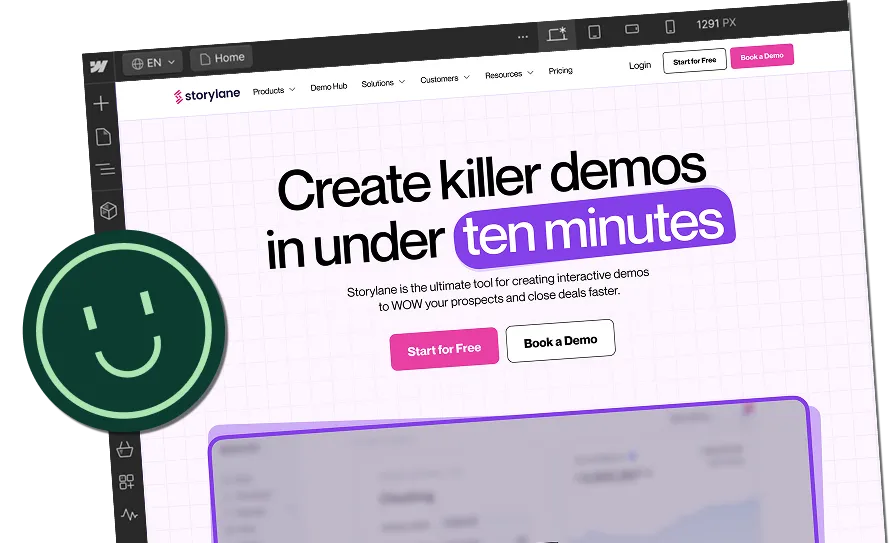

Webflow vs WordPress: Which Platform Is Better for Your Business Website in 2026?


The most crucial part of building your website is choosing a platform, because it will determine how easily you can bring your ideas to life, how your site will look and function, and even how much time and money you end up spending on upkeep.
In comparing Webflow vs WordPress, you’ll find two popular platforms with very different approaches to website creation. Webflow vs WordPress shows that one platform invites simplicity and visual ease, while the other offers depth, a rich plugin ecosystem and potential for very complex builds. In fact, recent data shows that while WordPress still holds around 61.4% of the CMS market share in 2025, Webflow has grown to about 1.2%, proving a visible shift in how companies approach digital presence.
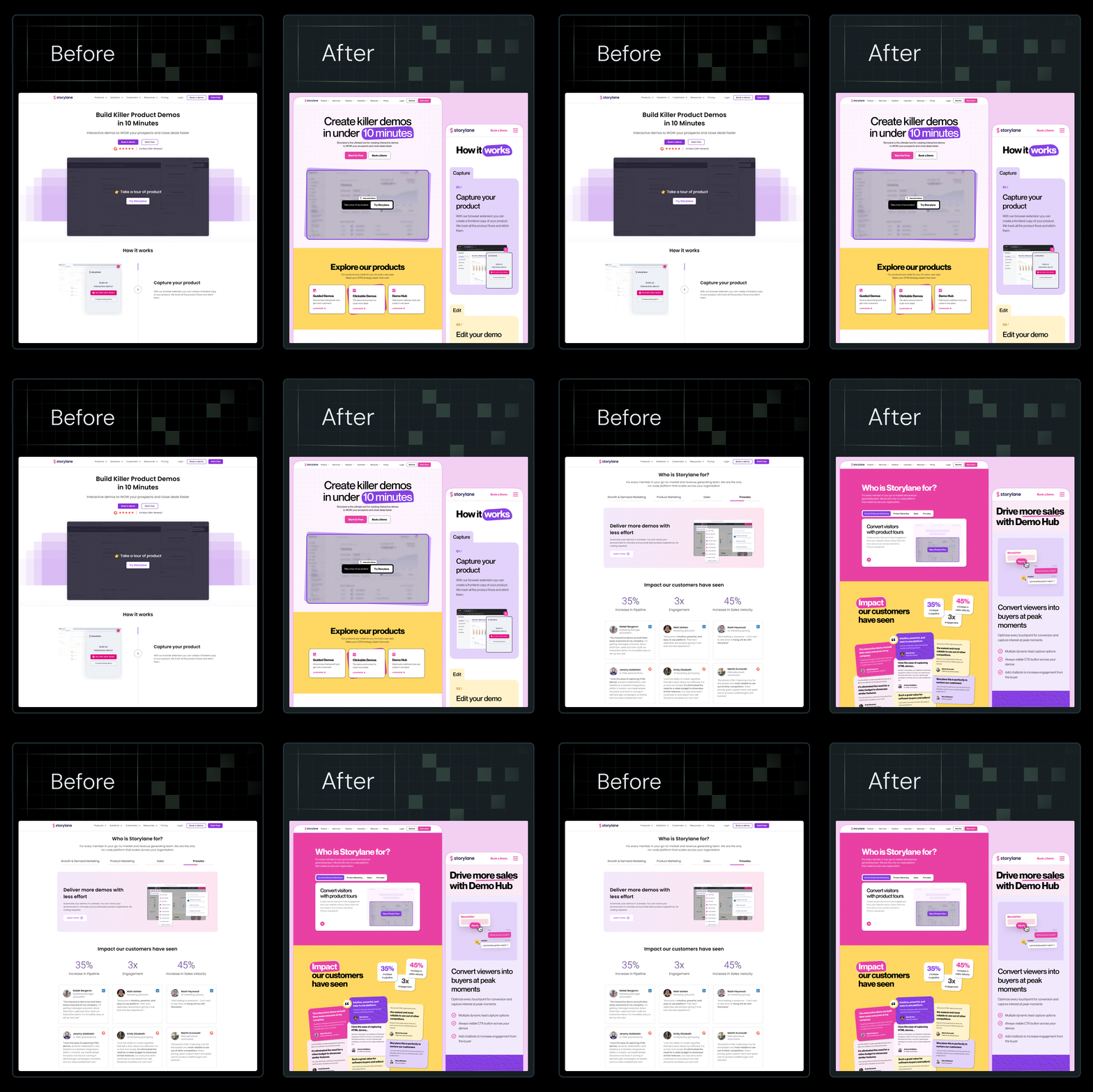
At ThunderClap, we’ve rebuilt more than 129 B2B websites for SaaS, fintech, and AI companies such as Amazon, Storylane, Factors, Deductive AI, and Z47 using Webflow. Our team focuses on building sites that convert visitors into leads and are easily recognized by AI systems, showing that the right content management system can directly influence measurable business growth.
This article compares WordPress and Webflow so you can decide which one better suits your business website goals, whether that means scalability, customization, or SEO strength.
TL;DR
- Choosing between Webflow and WordPress shapes not only how your website looks and functions but also how easily your team can manage and grow it.
- While WordPress still dominates the CMS market with over 61%, Webflow’s steady rise shows that businesses are leaning toward cleaner, design-led, and AI-ready platforms.
- From our experience rebuilding 129+ B2B websites for SaaS and fintech brands, we’ve seen how Webflow simplifies collaboration, boosts speed, and reduces developer dependency.
- So, the real choice isn’t just about features, but about how each platform fits your business goals, scalability needs, and long-term digital strategy.
Understanding Webflow and WordPress
Before we move on to a detailed comparison, let's first understand what each platform actually is:
What is WordPress?
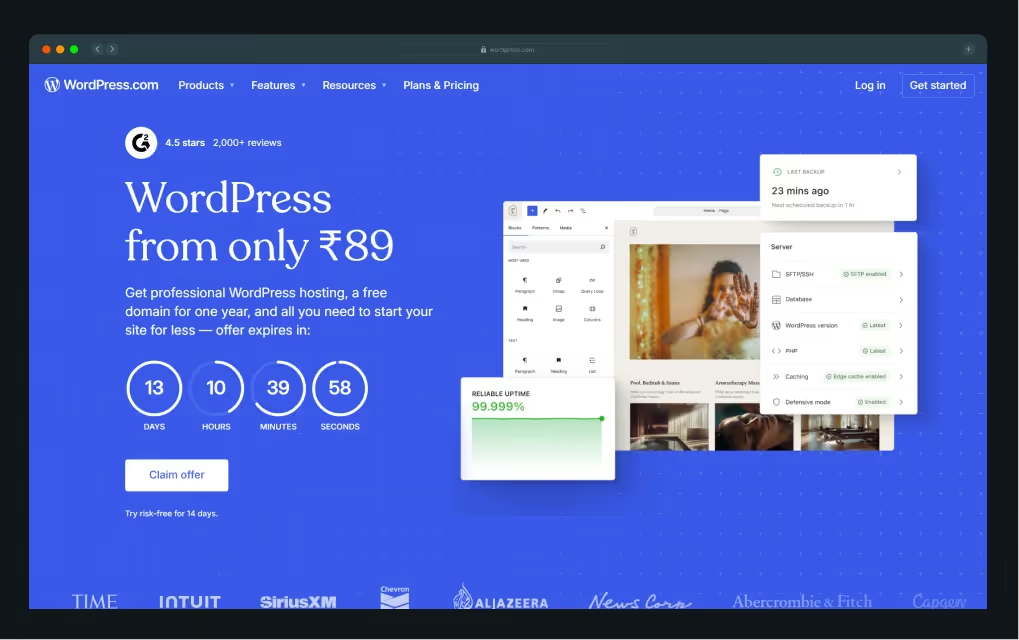
WordPress is one of the most popular open‑source CMSs, powering over 43% of all websites worldwide. That means nearly half of all websites today run on WordPress, making it the most widely used website builder globally. It becomes even more striking when you see that the second-place platform, Shopify, only holds about 4.8 % of the market, followed by Wix at 3.7 %, Squarespace at 2.3 %, Joomla at 1.5 %, and Drupal at 0.8 %.
It started as a blogging platform but has since evolved to support blogs, business sites, online stores, and large portals thanks to thousands of themes and plugins.
WordPress comes in two flavours:
- A hosted version at WordPress.com, where the technical work is taken care of for you
- A self-hosted version at WordPress.org, where you have complete control of hosting and maintenance
What is Webflow?
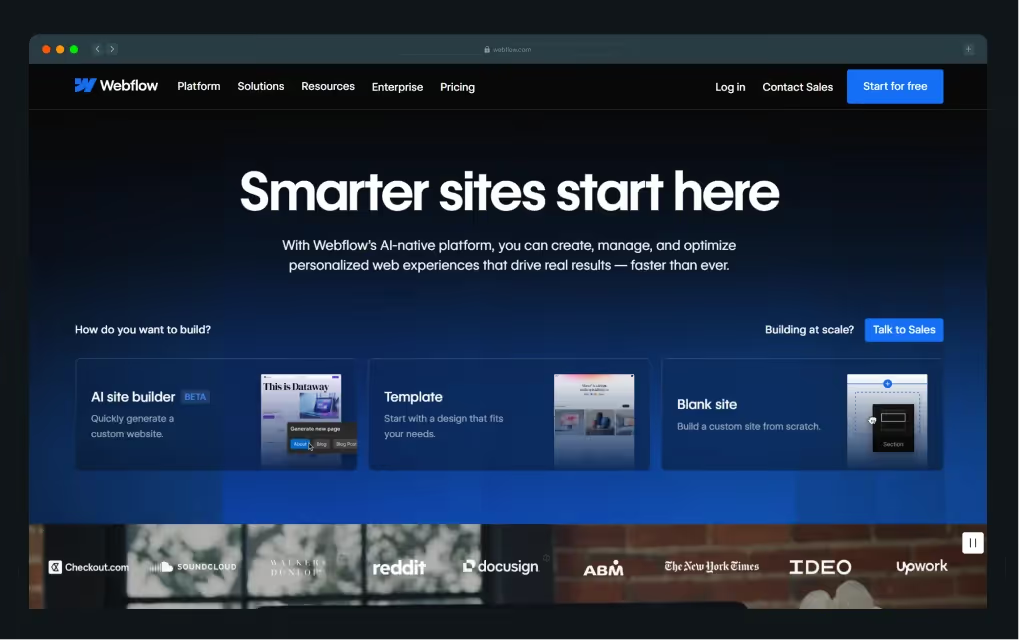
Webflow provides a visual web design tool that lets you build professional websites without writing code, and it gives you control over layouts, animations, interactions and more. It includes its own CMS and e‑commerce capabilities so you can manage content and sell products online all within one platform. Many designers, business owners and enterprises use Webflow because it puts design power in their hands and handles hosting and security behind the scenes.
To give you an idea, Webflow’s community now includes more than 85,000 designers and developers worldwide as of April 2024, offering learning resources, collaboration opportunities, and support directly accessible through their website. Plus, recent data show that the market for Webflow developers is growing rapidly, with experts predicting a CAGR of 23 % from 2021 to 2031, indicating a strong future for professionals skilled in this platform.
Webflow vs WordPress: A Detailed Comparison
Now that you know what each platform offers, we will explore a detailed comparison of the features and benefits that matter most to your business.
Before that, here’s a glance at both website builders:
Webflow vs WordPress: Ease of use
Webflow is built for simplicity and offers a visual drag-and-drop interface that allows users to create and edit websites in real time, which works exceptionally well for designers and visual learners. The platform also offers helpful tutorials, guides, and a growing community, making it easier for beginners to learn quickly and start building professional-looking websites.
A real-world example is the Avanti Fellows website, a student-focused NGO platform with media-heavy content and complex animations. According to Qamar Aziz, Webflow Lead & GSAP Developer at ThunderClap,
“Avanti Fellows needed a visually rich site with sliders, animated elements, and interactive content. Their previous WordPress site was replaced with Webflow, allowing us to replicate the Figma designs with full animation support.”
Some of the key changes made during the project included:
- Migrating from WordPress to Webflow to remove plugin dependencies.
- Rebuilding five animated pages with interactive sliders and Lottie files provided by the client.
- Incorporating media, including video testimonials, blog posts, news features, and image-based storytelling elements, and student resource pages, with attention to animation and interactive components.
The outcome was a visually engaging website that faithfully replicated the client’s Figma designs, with interactive animations and sliders. The site allows the Avanti Fellows team to present content in a dynamic, visually rich way.
However, if you lack basic coding knowledge in HTML or CSS, Webflow can feel overwhelming at first, and some features may require guidance from an enterprise Webflow partner or a Webflow development agency to get your site fully functional.
WordPress presents a steeper learning curve, especially with the self-hosted version, WordPress.org. While the core platform is user-friendly, the large ecosystem of plugins, themes, and configuration options can confuse new users. Users who prefer a visual interface can add page builders like Elementor or Divi to replicate Webflow’s drag-and-drop experience. WordPress.com simplifies the process but limits flexibility compared to WordPress.org.
Webflow vs WordPress: Collaboration and publishing
Webflow offers robust team features that make collaboration seamless for designers, marketers, and developers across projects of any size:
- Branching and merging: Teams can work on separate branches, review changes, and integrate them safely, similar to version control in software development.
- Multi-seat workflows: Multiple team members can design, edit, and manage content simultaneously without overwriting each other’s work.
- Granular publishing: Editors can publish individual CMS items or minor updates without pushing the entire site live, keeping workflows efficient and flexible.
At ThunderClap, these collaboration features were critical for migrating roommaster, a property management platform, from WordPress to Webflow in 6 weeks through our Webflow migration services. Their original WordPress site included numerous CMS collections for blogs, news, ebooks, guides, templates, and case studies, making content updates complex and dependent on developer involvement.
The migration included:
- Moving 40+ pages and multiple CMS collections (blogs, news, ebooks, guides, templates, case studies, and testimonials).
- Creating reusable form components integrated with Salesforce, UTM tracking, Chili Piper scheduling, and analytics to capture leads and campaign data.
- Implementing a structured content hierarchy with consistent heading (H1/H2) usage, category/tag cleanup, and SEO-conscious redirects.
- Setting up 97 page-level and domain-level redirects to maintain SEO integrity during URL changes.
As a result, roommaster’s marketing team can now update content, launch new pages, and manage resources efficiently with a scalable structure that reduces reliance on developers and maintains brand and design consistency.
As Qamar noted:
“roommaster’s marketing team struggled with updating content quickly because every new page required developer intervention. By moving to Webflow, we implemented global classes and reusable components, allowing the team to launch new property and campaign pages without risking brand inconsistency.”
WordPress provides basic collaboration, but advanced workflows depend on plugins like PublishPress or external tools such as Git, which require extra setup and time. Its default features do not allow the same level of simultaneous editing or granular publishing as Webflow, which can slow down teams handling multiple contributors.
Webflow vs WordPress: Hosting
Choosing the right hosting is critical because it directly affects your website’s performance, security, and user experience across every page.
Webflow
Webflow includes hosting as part of the platform, so you do not need to manage a separate provider or manually set up a server. The platform provides fully managed hosting optimized for speed, security, and scalability, letting you focus entirely on building your website.
Here’s what’s included in Webflow:
- Global CDN for fast load times, no matter where visitors are located
- Free SSL certificate for safe browsing and data protection
- Automatic backups and version history to protect your content
- High uptime and fast page speeds to maintain user satisfaction
- Seamless integration with Webflow CMS and Designer tools for easy management
- Scalability for websites expecting growing traffic without extra setup
With Webflow, a single click publishes your content, while the platform handles server management, traffic, and ongoing maintenance automatically.
WordPress
On the other hand, WordPress does not include hosting, which means you must find a third-party server and manage it yourself. While this gives you more flexibility, it also adds responsibility for maintaining speed, security, and uptime.
WordPress hosting services often offer one-click installation, SSL certificates, automatic updates, and support, but quality and pricing vary. Choosing the right provider requires attention to speed, uptime, support, and cost. WordPress gives you complete freedom for hosting decisions, but managing security, backups, updates, and performance falls entirely on your shoulders unless you pay for managed WordPress hosting.
Webflow vs WordPress: Customization and design flexibility
Webflow lets users create complex layouts, animations, and interactions directly on the canvas without writing code. You can start from a blank canvas or use Webflow templates designed by professionals, giving full control over your site’s design.
The Webflow CMS lets you design around your content, making it easy to build custom blogs, portfolios, or product pages. Users with coding skills can add HTML, CSS, or JavaScript to enhance functionality and customization.
{{specficBlog}}
WordPress provides flexibility through thousands of free and premium themes, which can be adjusted using the WordPress Customizer or theme-specific settings. For more detailed control, WordPress users can install page builder plugins such as:
- Elementor
- Divi
- Beaver Builder
These plugins provide drag-and-drop interfaces similar to Webflow. Its open-source nature also enables custom themes and plugins, offering nearly unlimited design flexibility.
Webflow vs WordPress: Templates
Webflow focuses on design with around 7,000 templates, both free and premium, created by Webflow or its community, including studios like Flow Ninja. Every template can be fully customized in the Webflow Designer, letting users adjust layouts, animations, and styles down to the pixel. Templates are ideal for landing pages, portfolios, or niche business websites, though many professionals prefer starting from scratch for fully customized designs.
WordPress calls its templates “themes,” and the ecosystem now includes tools that function like full-site builders. Some of the popular options include:
- Divi: Offers 1,000+ pre-built layouts with a visual editor
- Elementor: Provides drag-and-drop editing and deep theme customization
These options allow users to create custom designs without coding. With over 31,000 themes available, WordPress covers blogs, business sites, portfolios, and e-commerce stores, often at an affordable cost.
Webflow vs WordPress: Speed and mobile responsiveness
Webflow uses a visual approach to responsive design, letting users create websites that look great on any device. It uses Flexbox and CSS Grid to build layouts that adapt automatically to mobile and tablet screens. Responsive breakpoints let you adjust layouts, fonts, spacing, and visibility directly in the Webflow Designer, and real-time device previews make mobile fine-tuning simple without extra plugins.
WordPress responsiveness depends on your theme and plugins. Modern themes like Astra, OceanWP, and GeneratePress adjust automatically for mobile, but older or free themes often require:
- Adjusting layout elements manually using custom CSS
- Installing mobile optimization plugins such as WPtouch or WP Mobile Menu
- Testing across devices to maintain consistent performance
Visual builders like Elementor or Divi provide mobile editing and preview features, but they often require additional setup to achieve the same results as Webflow’s built-in tools.
Webflow vs WordPress: SEO performance
Webflow has built-in SEO tools that let you manage meta titles, descriptions, image alt text, URL slugs, canonical tags, and Open Graph settings directly in the visual editor. It's clean, semantic HTML and CSS improve load times, while hosting on a global CDN provides fast speeds, SSL, and high uptime.
While Webflow lacks the plugin variety of WordPress, its core features cover most SEO needs, and third-party tools can further extend functionality.
In the RecruiterFlow project, we developed a user-friendly Webflow system that enabled the client to create and manage pages with ease while retaining their WordPress blog.
The project involved:
- Migrating multiple pages, ebooks, webinars, customer stories, and case studies to Webflow.
- Implementing HubSpot integrations and APIs to track user interactions, including UTM source, medium, and campaign tracking.
- Ensuring responsive design and seamless alignment with the existing WordPress blog via reverse proxy.
- Providing a scalable system with reusable components and a style guide, along with training videos for the client to easily maintain and update content.
This approach allowed RecruiterFlow to maintain SEO integrity, streamline content updates, and provide a scalable system for future growth, showing how Webflow’s built-in SEO and content management tools simplify optimization and maintenance.
On the other hand, WordPress relies on plugins such as Yoast SEO, Rank Math, and All in One SEO Pack for advanced SEO functionality. Users can customize metadata, sitemaps, images, and page analysis, making it ideal for content-heavy sites. However, plugin overload, poorly coded themes, and variable hosting can slow sites and affect rankings if not carefully managed.
Webflow vs WordPress: Security
Webflow includes robust security features built into the platform, requiring minimal setup:
- SSL certificates: Free for all sites, encrypting user data
- DDoS protection: Built-in protection against attacks
- Automatic backups: Restore your site to previous versions easily
- Secure hosting: Powered by Amazon Web Services (AWS)
- Data privacy: Complies with industry standards for handling user data
WordPress security depends heavily on user setup and plugins:
- Security plugins: Wordfence, Sucuri, iThemes Security add firewalls, malware scanning, and login protection
- Regular updates: Core, themes, and plugins must be updated to maintain security
- SSL certificates: Added via hosting provider or manually
- Backups: Managed with plugins like UpdraftPlus or BackupBuddy
- Hosting security: Managed WordPress hosting (Kinsta, WP Engine) improves security
Webflow vs WordPress: Pricing
While both platforms have different pricing structures, the total cost depends on the type of site and features you need.
Webflow
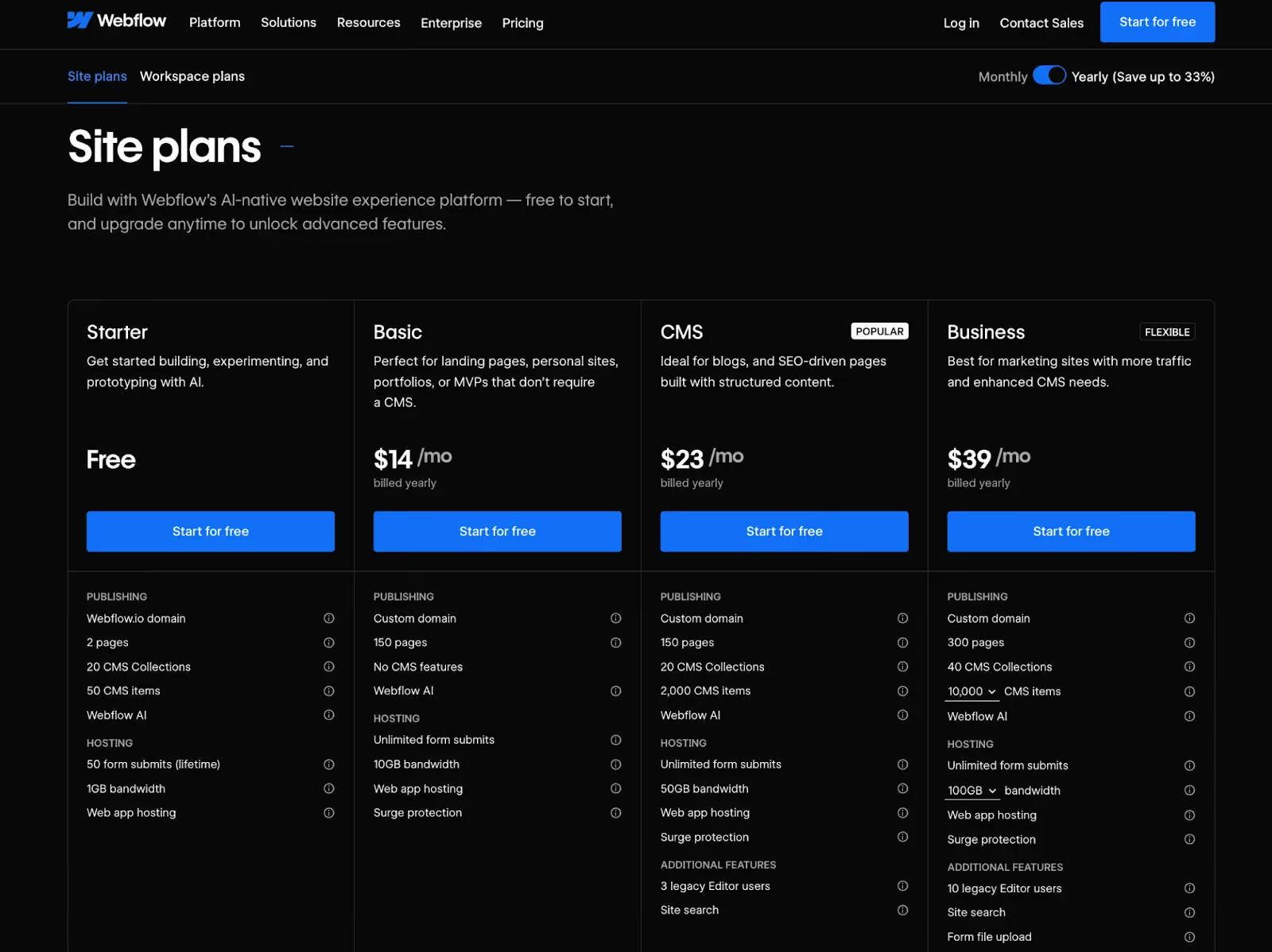
Webflow uses a freemium model. You can build and preview sites for free on a webflow.io subdomain, but paid plans are needed for CMS, custom domains, or client handoff:
- Site Plans
- Basic: $14/month (no CMS)
- CMS: $23/month
- Business: $39/month
- E-commerce starts at $42/month
- Workspace Plans
- Starter: Free
- Freelancer & Agency plans: Start at $16/month
- Enterprise: Custom pricing
Note: You may need both a Site Plan and Workspace Plan, depending on team size, which can be confusing for beginners.
WordPress
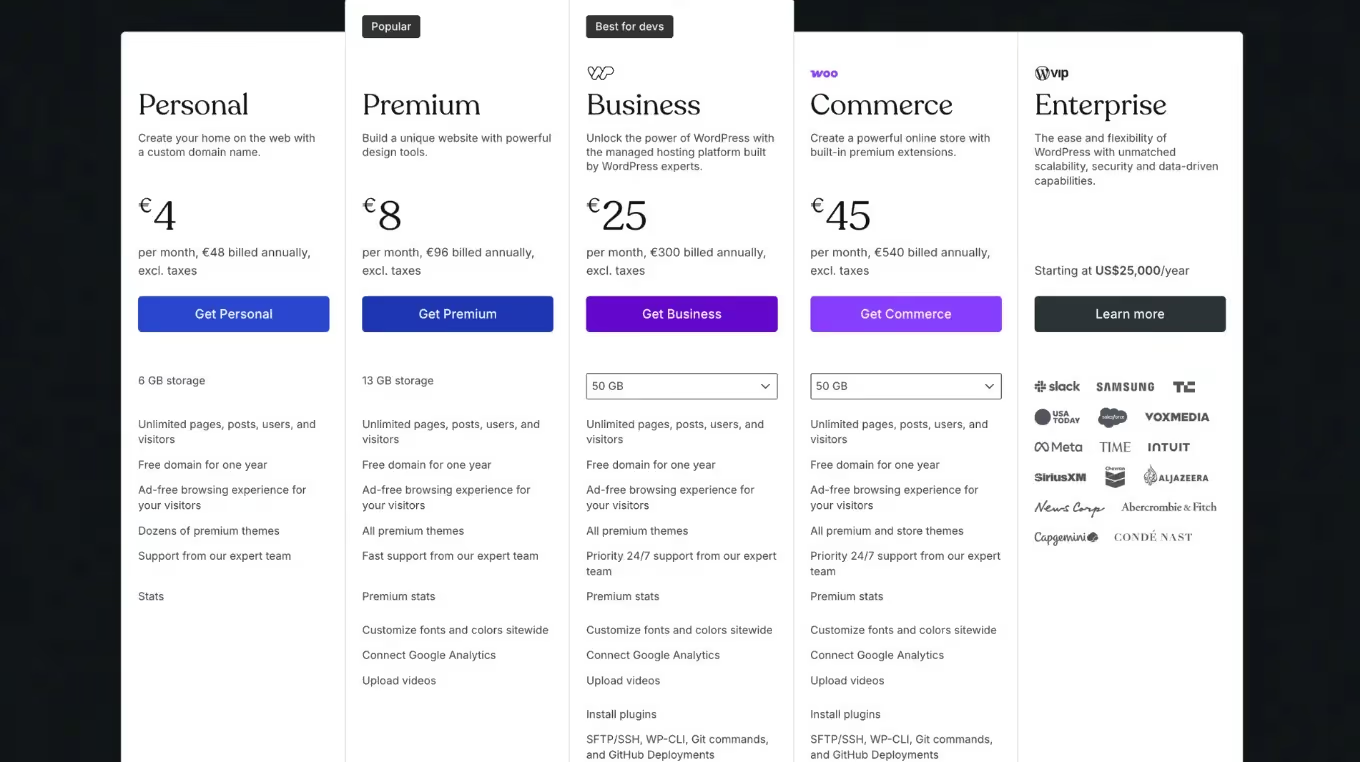
WordPress is free to download and use, but launching a site requires:
- Domain: $10–$20/year
- Hosting: $3–$30/month (depending on provider)
- Optional premium plugins and themes:
- Elementor: $59/year
- Yoast SEO Premium: $99/year
- WooCommerce add-ons and other plugins vary
Over time, costs for plugins, themes, and maintenance can add up, but WordPress is generally more affordable for small sites or personal blogs.
Webflow vs WordPress: Which One Should You Choose?
Choosing the right website platform depends on your goals, technical skills, and the level of control you want over design, hosting, and functionality. Both Webflow and WordPress have strengths, but they cater to different types of users and projects. For example:
Choose Webflow if:
- You want design flexibility without coding.
- You prefer an all-in-one platform with hosting included.
- You need built-in SEO, fast performance, and security features.
- You like a visual, drag-and-drop approach.
- You’re building a smaller e-commerce store or simple content site.
{{specficService}}
Choose WordPress if:
- You need deep customization and plugin flexibility.
- You’re building a content-heavy or complex website.
- You have technical skills or access to developers.
- You want lower initial costs and control over hosting.
- You require advanced e-commerce or niche functionality.
Turn Your Website Into a Strategic Asset With the Right Partner
To wrap things up, WordPress and Webflow each excel in their own ways, catering to different priorities. WordPress provides a flexible, cost-effective foundation, though complexity and expenses can increase as your site grows. Webflow, on the other hand, emphasizes efficiency and modern design, enabling businesses to scale quickly while keeping management simple and streamlined.
The right platform lets you build, manage, and scale your digital presence efficiently, whether through visual design flexibility, advanced customization, or seamless content management.
At ThunderClap, we help brands select and implement the CMS that best fits their needs:
- Enterprise-driven strategy: We craft websites for complex B2B journeys, ensuring every stakeholder experiences clarity, confidence, and consistency at each stage.
- Performance-first approach: Every site is designed to deliver measurable results, from demo signups to high-quality lead generation.
- Scalable Webflow solutions: As a certified Webflow Enterprise Partner, we build robust CMS structures, dynamic content hubs, and seamless integrations that empower marketing teams.
- SEO & AI-optimized builds: With structured data, fast load times, and discoverable content, your site reaches the right audience and converts effectively.
- Full-spectrum project ownership: From strategy and design to development and Webflow maintenance services, we oversee every step while keeping your business goals front and center.
For example, we’ve helped 129+ organizations rebuild and redesign complex websites, creating interactive, media-rich experiences that reduce developer dependency and improve team efficiency. In the RecruiterFlow project, Webflow’s integrated hosting was paired with Netlify-hosted assets and a staging environment, simplifying server management while ensuring the client had a seamless publishing experience.
These projects demonstrate how the right CMS, combined with expert implementation, transforms a website from a static tool into a growth-driving asset. If you’re ready to move beyond just having a website and want one that actively drives business results, let’s build it together.
{{ctaBlock}}
FAQs
1. Webflow vs WordPress: Which one is better for my website?
The “better” platform depends on your website goals, technical skills, and growth plans. Webflow excels at visually driven, modern websites, with built-in hosting, responsive design, and CMS functionality, enabling teams to launch quickly with minimal technical overhead. WordPress is ideal for content-heavy sites that need extensive customization through plugins and themes, offering complete control over functionality but requiring ongoing management and technical know-how.
2. How do Webflow and WordPress compare for SEO?
Webflow offers built-in SEO tools, including meta tags, alt text management, clean semantic code, and fast hosting via a global CDN, making optimization straightforward for designers and marketers. WordPress allows deeper customization through SEO plugins like Yoast or Rank Math, enabling detailed control over metadata, sitemaps, and schema markup. However, plugin overload or poor hosting can impact speed and rankings, requiring careful management to maintain SEO performance.
3. Webflow vs WordPress: What are the pricing differences?
Webflow uses a subscription-based model, with plans for basic sites, CMS, business needs, and e-commerce, often including hosting and SSL. WordPress is free to install, but costs come from hosting, premium plugins, themes, and maintenance. For smaller projects or budget-conscious users, WordPress can be cheaper upfront. Webflow, by contrast, offers an all-in-one solution that reduces the need for third-party tools, saving time and complexity for teams focused on growth.
4. Which platform offers better security and speed: Webflow or WordPress?
Webflow includes built-in SSL, DDoS protection, automatic backups, and fast hosting via a global CDN, ensuring consistent speed and security without extra setup. WordPress security and performance depend on hosting, plugin choices, and regular updates, meaning teams must actively manage vulnerabilities. Working with Webflow Enterprise Partners like ThunderClap ensures your Webflow site is optimized for speed, security, and scalability, while also leveraging advanced CMS and automation tools for enterprise-level efficiency.



.webp)
Browse Similar Articles





Leading 5 SaaS Branding Agencies in Florida (That Actually Understand SaaS Growth)

.svg)


How to Turn Your B2B Website into a Self-Serve Growth Engine? (PLG Ready in 2026)


9-Step Website Copy Audit Checklist to Improve Conversions (Examples from Top B2B Brands)

.webp)

How to Choose the Right Fintech Web Development Company for Your Business

Top B2B Website Design Principles That Turn Visitors into Qualified Leads

%20Audit%20That%20Actually%20Improves%20Revenue.webp)
How to Do a Conversion Rate Optimization (CRO) Audit That Actually Improves Revenue
Web Design Agency vs. Freelancer vs. In-House: What Actually Works in 2026

5 CRO Agencies in London and How to Choose the Best CRO Agency for Your Business

The Ultimate Fintech B2B Positioning Guide for 2026 (That Actually Drives Conversions)

Mapping the B2B Buyer Journey to Improve Conversions Across Every Touchpoint
.webp)
7 Best Website Maintenance Companies in India for Growth-Led B2B Teams (2026)

.webp)


8 Best Healthcare Website Design Agencies for HIPAA-Compliant Sites in 2026

How to Find the Best Web Design Company in Houston, Texas for B2B Brands (6 Best Picks)

Positioning That Wins: How to Make Complex B2B Products Clear and Compelling
The Step-by-Step Website Redesign Process B2B Teams Use to Increase Conversions (Without Killing SEO and Pipeline)


7 Best Video Production Agencies for SaaS Product Walkthroughs and Feature Videos


How to Choose the Best B2B Website Maintenance Company: 9 Questions to Ask Before You Hire One


How to Choose a Web Design Company in San Francisco in 2026 (with Examples)

10 Best Web Design Companies in Florida in 2026 and How to Choose the Right One

How to Use Brand Storytelling on Your Website to Close More B2B Deals and Build Buyer Trust

SaaS CRO Best Practices: What High-Growth Brands Do Differently to Win Conversions

How a Rebranding Agency Can Redefine Your B2B SaaS Identity and Boost Pipeline
B2B Marketing Trends in 2026 That Directly Influence Pipeline and Revenue

Top 7 Video Marketing Agencies Driving B2B SaaS Brand Awareness in 2026

Why Partnering with a B2B Brand Positioning Agency Accelerates Market Differentiation

The Complete Website Redesign Checklist for B2B SaaS Teams Ready to Scale
.avif)
9 Best Webflow Development Agencies in India for 2026 (In-Depth Review)

10 Product Marketing Companies Powering the Fastest-Growing SaaS Brands in 2026
Website Copywriting Services vs In-House: What's Right for Your Business?


How to Choose a Marketing Agency That Understands B2B SaaS Growth Metrics


How to Choose a Video Marketing Agency That Understands B2B Storytelling

Outsourcing Web Design: Cost-Benefit Analysis for Mid-Market & Enterprise Brands

From Leads to Lifetime Value: How Growth Marketing Agencies Scale SaaS Revenue

Build a B2B Website Strategy That Aligns with Sales and Marketing Goals

Fintech Web Design That Builds Trust: 8 UX Principles Every Fintech Site Needs


Optimizing for Intent: How B2B Website Messaging and UX Changes Help Capture Top-Funnel Buyers



12 Best B2B Web Development Agencies in the US to Build Scalable Websites

From Audit to Action: 8-Step Process to Optimize Your B2B Website Strategy for 2026 Buyers

How to Design a High-Converting Landing Page from Scratch (2026 Edition)

From Click to Customer: Proven Landing Page Conversion Optimization Techniques

How to Write Website Copy That Converts: A Step-by-Step Guide for 2026


How to Optimize a Landing Page for Maximum ROI: A Step-by-Step Breakdown


AI Landing Pages That Convert: 7 Design Principles Every AI Platform Should Follow
From Traffic to Pipeline: B2B Website Growth Strategy for Scaling Teams


B2B Website Optimization Strategy: Speed, UX, SEO, and CRO in One Playbook




Interested in seeing what we can do for your website?



.webp)
