















Webflow vs Elementor: Which CMS is Better for B2B Websites?



When it comes to choosing between Webflow vs Elementor for your B2B website, it can feel like standing at a crossroads in a modern-day Hamlet scene.
For a lead‑generating B2B site you already have, ask:
- Do you want a platform you can hand off easily and scale quickly (that points to Webflow)?
- Do you prefer staying within WordPress with familiar tools and community support (that suggests Elementor)?
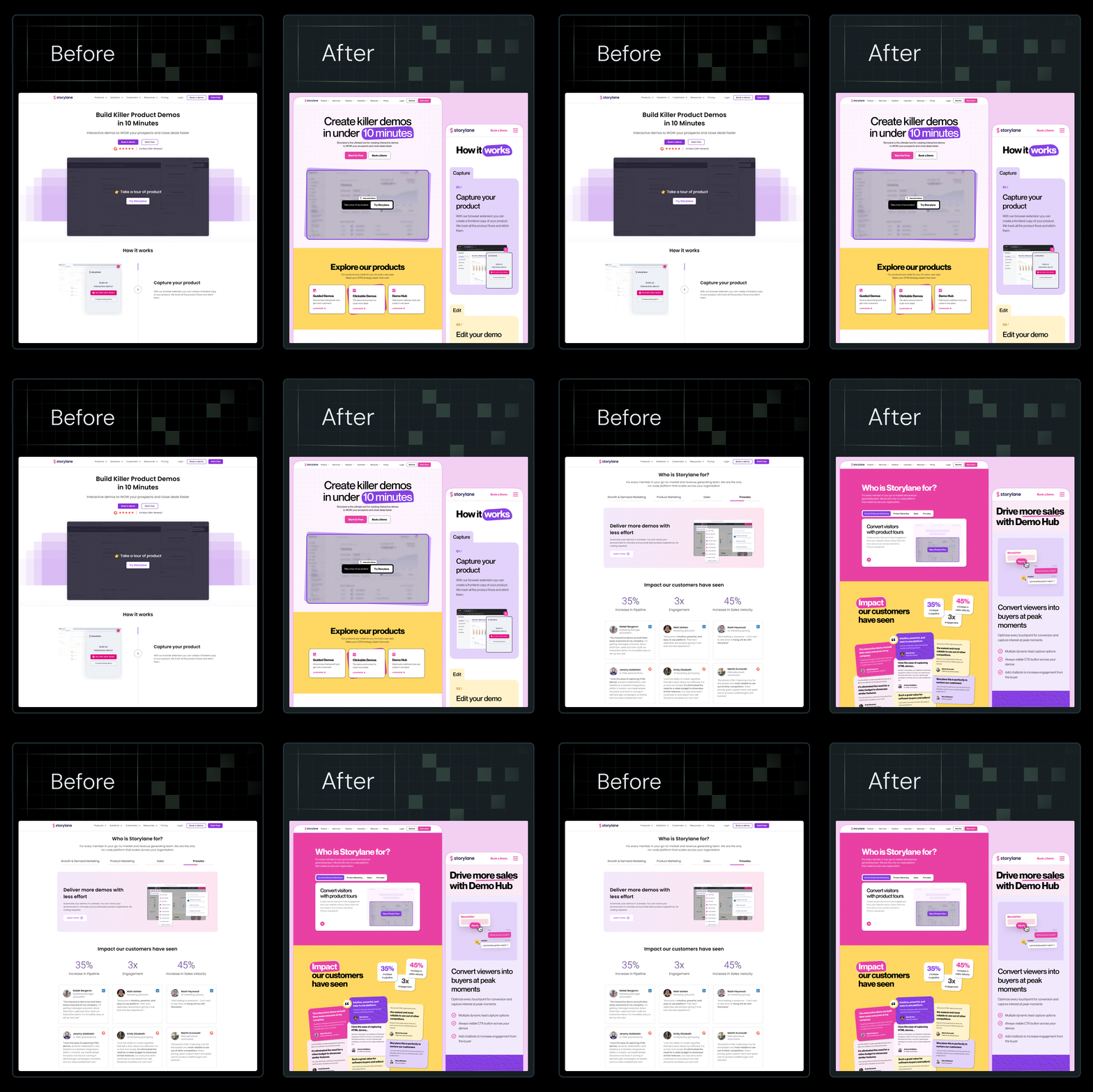
At ThunderClap, we’ve rebuilt over 129+ B2B websites for SaaS, fintech, and AI, including Amazon, Storylane, Factors, Deductive AI, and Zenda, using Webflow. More so, we build sites that convert and are recognized by AI, proving that the right content management system (CMS) can drive real business results.
This guide compares Webflow vs Elementor across design flexibility, hosting/maintenance, performance, and scalability so you can decide which CMS fits your next phase.
TL;DR
- Choosing between Webflow and Elementor comes down to how much control, scalability, and long-term stability your B2B website needs.
- Webflow offers an all-in-one ecosystem, including a visual editor, CMS, and hosting, while Elementor runs as a WordPress plugin, which adds flexibility but also layers of maintenance.
- As B2B websites handle complex buyer journeys, Webflow’s speed, security, and brand consistency help marketing teams move faster without relying on developers.
- ThunderClap, a Webflow Enterprise Partner, has rebuilt 129+ B2B websites, delivering faster load times, easier management, and stronger conversions, proving that the right CMS isn’t just a design choice but a growth strategy.
Why CMS Choice Matters More for B2B Than Ever Before
B2B websites handle complex buyer journeys, multiple decision-makers, and layered content like pricing, case studies, and gated resources. Choosing the right CMS defines how smoothly your marketing and sales teams can operate and collaborate.
When your website serves as a growth engine rather than just a digital brochure, every second of speed, every step of SEO, and every layer of security count. According to recent data, 64% of modern B2B buyers favor digital channels over traditional ones, highlighting the urgency of a high-performance web platform.
Looking ahead to 2026, many marketing leaders plan to migrate their sites to modern platforms, such as Webflow, to launch campaigns faster, test content more frequently, and reduce their reliance on heavy engineering workflows. A recent survey by Webflow found that 52% of marketing leaders will prioritise optimisation for AI-driven search and summaries in that year.
This growing shift shows that B2B teams have recognised how traditional CMS systems limit performance and slow marketing outcomes. The challenges have become too significant to ignore, which is why so many are rethinking their web foundations.
Here are common risks B2B brands face when they use traditional CMS tools like WordPress, combined with heavyweight page-builders such as Elementor:
- Slow performance and page-load issues: Heavy themes and plugins create lag and cost you conversions when users bounce.
- SEO and content complexity limitations: Rigid page builders block rapid content changes and make it hard to optimize for search and lead generation.
- Security and integration gaps: Older CMS setups often lack seamless integration with CRM, marketing automation, and analytics tools, increasing operational risk.
When your CMS still behaves like yesterday’s brochure system, you miss out on growth potential and allow competitors to get ahead. A modern CMS built for B2B environments supports dynamic content, multiple personas, and evolving buyer expectations with speed and precision.
{{specficBlog}}
Webflow vs Elementor: A Detailed Comparison
Web design tools have come a long way, and two names that often dominate every conversation are Webflow and Elementor. Both promise creative freedom, yet the way they deliver it feels entirely different once you start building.
When you look closely at Webflow vs Elementor, you'll notice:
- Webflow functions as a complete ecosystem.
- Elementor works as a plugin built on top of WordPress.
Still, the WordPress Elementor vs Webflow debate is not about which one looks prettier. It is about how deeply each tool integrates into your long-term strategy. Here’s a quick glance at Webflow vs Elementor:
By understanding these key aspects in detail, you’ll be better equipped to choose the tool that suits your specific needs.
Core architecture
Both platforms help you build beautiful, functional sites, but how they’re structured under the hood decides how far you can actually push those designs.
Webflow is a standalone platform that combines a visual design editor, a built-in CMS, and hosting in a tightly integrated environment. Every interaction you create visually translates into clean, production-ready code. This means teams can move fast without worrying about plugins, third-party dependencies, or compatibility issues that could break their layouts later.
Elementor, on the other hand, sits on top of WordPress as a plugin-based builder. It depends on multiple layers to function correctly, with WordPress at the base, Elementor in the middle, and other supporting plugins stacked on top. While this setup gives users flexibility and access to countless integrations, it can also add complexity as projects grow in size and scale.
This layered dependency model impacts performance, maintenance, and long-term reliability. For instance, when WordPress updates its core or a plugin version changes, Elementor’s compatibility must be rechecked to avoid design breakage. Webflow skips that cycle entirely because everything runs natively within its environment.
Design flexibility & brand consistency
Design flexibility determines how quickly your team can experiment, build, and refine without breaking brand identity. Both platforms offer creative freedom, but how they handle design systems and reusable components tells a very different story.
For example, Webflow operates like a visual development environment where every style, component, and grid can be defined at the system level. Some of its benefits include:
- Global typography, color tokens, and spacing rules automatically apply across all pages.
- Marketing teams can replicate campaign pages quickly without waiting for developers.
- Brand consistency remains intact even as multiple team members edit content simultaneously.
At ThunderClap, we saw these advantages play out with roommaster, a property management platform, when we migrated their entire website from WordPress to Webflow within a six-week timeline. Their original WordPress setup included numerous CMS collections for blogs, news, ebooks, guides, templates, and case studies, which made content updates complex and often required developer involvement.
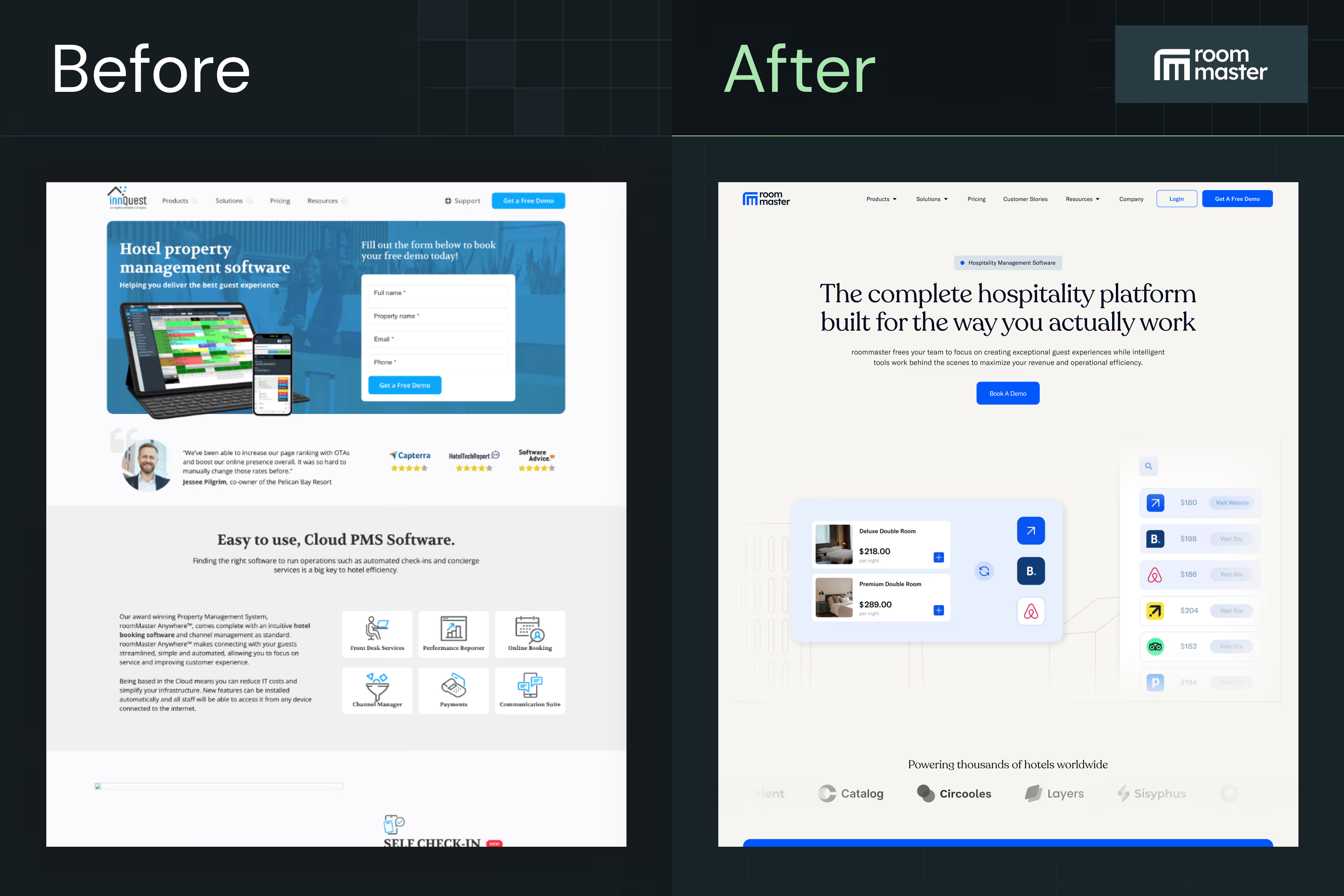
The migration included:
- Migrating 40+ pages and multiple CMS collections for blogs, news, ebooks, guides, templates, case studies, and testimonials.
- Creating reusable form components integrated with Salesforce, UTM tracking, Chili Piper scheduling, and analytics to capture leads and campaign data.
- Implementing a structured content hierarchy with consistent heading (H1/H2) usage, category/tag cleanup, and SEO-conscious redirects.
- Setting up 97 page-level and domain-level redirects to maintain SEO integrity while changing URLs.
As a result, roommaster’s team can now update content and manage resources more efficiently, with a scalable structure that reduces reliance on developers and maintains brand and design consistency across the website.
On the other hand, Elementor works within WordPress’s theming structure, which changes how brand consistency is maintained. Here’s what to keep in mind:
- Global widgets and templates exist, but brand uniformity can break with multiple plugins or external libraries.
- Updates or plugin version changes can slightly alter styles, causing minor visual mismatches.
- Teams often need extra oversight to maintain the same look across dozens of pages.
As Qamar Aziz, Webflow Lead & GSAP Developer at ThunderClap, noted:
“roommaster’s marketing team struggled with updating content quickly because every new page required developer intervention. By moving to Webflow, we were able to implement global classes and reusable components, so the team could launch new property and campaign pages without risking brand inconsistency.”
Performance & SEO
For B2B brands that rely on high-intent visitors and lead capture, CMS performance directly affects pipeline growth.
Webflow delivers that edge through native optimization. It uses AWS-powered hosting, automatic SSL, and built-in CDN distribution, which means your content loads faster, globally. Every visual interaction you create is translated into clean, semantic HTML, reducing code bloat and improving crawlability for search engines.
A real-world example comes from another client, Avanti Fellows website, a student-focused NGO platform, which came to us with unique challenges due to its media-heavy content and complex animations. As Qamar explained,
“Avanti Fellows needed a visually rich site with sliders, animated elements, and interactive content. Their previous WordPress site was replaced with Webflow, allowing us to replicate the Figma designs with full animation support.”
Some of the key changes we made were:
- Migrating from WordPress to Webflow to remove plugin dependencies.
- Rebuilding five animated pages with interactive sliders and Lottie files provided by the client.
- Incorporating media and student resource pages with attention to animation and interactivity.
The outcome was a visually engaging website that faithfully replicated the client’s Figma designs, with interactive animations and sliders. The site allows the Avanti Fellows team to present content in a dynamic, visually rich way.
Elementor, by contrast, can perform well but demands constant maintenance to do so. Because it relies on WordPress, its speed depends on hosting quality, plugin management, and theme compatibility. Even minor misconfigurations can cause plugin bloat, slower TTFB (time to first byte), and inconsistent Core Web Vitals. For growing B2B companies managing complex funnels and content-heavy pages, this can become an operational burden.
At ThunderClap, we’ve seen this difference play out across multiple migrations. A recent client, ClearlyRated, approached us to redesign its website. Their legacy setup made page updates slow and performance inconsistent, especially during high-traffic campaigns.
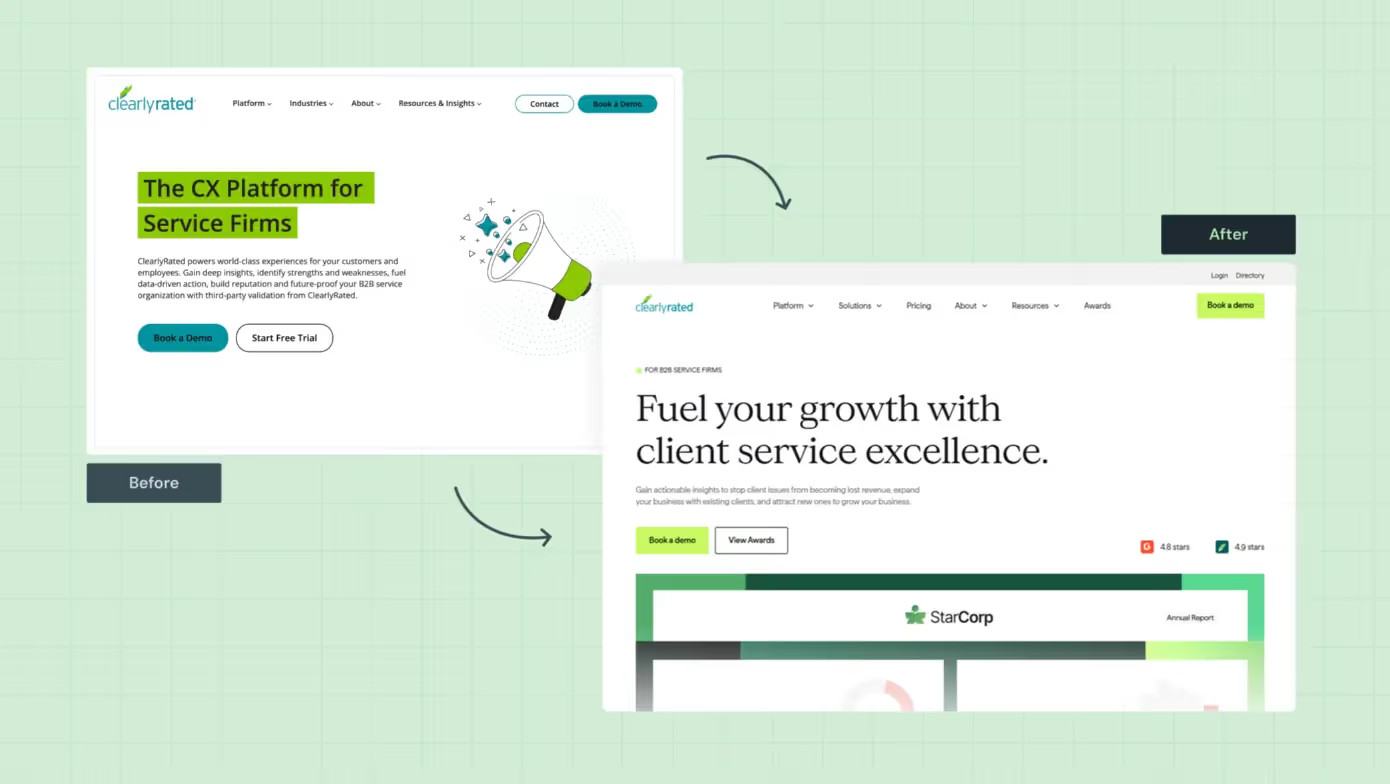
Our team collaborated with their sales, marketing, and product units to clarify messaging, restructure key pages, and rebuild the site in Webflow with speed and scalability in mind. As a result, ClearlyRated saw an 82% increase in total website views, a 14% increase in clicks,, and a 76% boost in overall conversion rates.
Ease of use for marketing teams
Design systems and CMS power are great, but if your marketing team can’t easily update content, the platform quickly becomes a challenge.
The Webflow Editor allows non-technical teams to modify copy, swap visuals, or publish new pages in minutes without touching a single line of code. Dynamic CMS collections make scaling blog hubs, resource libraries, or case study pages effortless. This means marketers don’t wait in developer queues or risk breaking layouts. They own the content lifecycle end to end, from creation to optimization.
Elementor offers visual editing as well, but it operates within WordPress’s broader ecosystem, which can get overwhelming. When your setup includes multiple plugins, caching layers, and templates, even a minor update can cause friction. Non-technical users often rely on developer support for seemingly simple changes.
For fast-moving B2B teams launching campaigns weekly, that lag is costly. With Webflow, iteration speed becomes a growth advantage.
Security & compliance
B2B websites often handle sensitive customer information, from lead forms to gated resources, making security non-negotiable.
Webflow delivers enterprise-grade security by default. Hosting on AWS with SOC-2 compliance, automated SSL certificates, and real-time backups ensures your data and uptime are protected. In 2025, Webflow was officially audited for SOC 2 Type II compliance, verifying the company's safeguards for customer data and its secure operations across all client sites. The platform’s closed ecosystem eliminates the risk of plugin vulnerabilities, outdated themes, or manual patching.
Elementor inherits WordPress’s open-source flexibility, but also its risks. In fact, Elementor’s plugin ecosystem recorded 23 security vulnerabilities in 2024 and 8 more in early 2025, with an average CVSS score above 5.5, reflecting moderate-to-high severity risks. Regular updates help, but they also demand vigilance.
When compliance is tied to client trust and investor confidence, Webflow’s managed environment gives your brand the assurance it needs.
Integrations & ecosystem
Both platforms integrate with major marketing and automation tools, but the way they do it impacts workflow efficiency. For example:
- Webflow provides native integrations for tools like HubSpot, Marketo, and Zapier, along with API flexibility for custom setups. Because everything is contained within a single ecosystem, data flows smoothly between marketing, analytics, and CRM platforms.
- Elementor, being plugin-driven, offers an extensive integration ecosystem through WordPress, but that freedom comes at a price. Each integration typically requires third-party plugins, manual API keys, or maintenance after updates. Over time, this can turn your backend into a patchwork system that demands constant monitoring.
In B2B contexts where agility, data accuracy, and reliability drive conversions, Webflow’s integrated workflow outperforms the plugin-first model.
Cost & ROI analysis
At first glance, Elementor seems more affordable, and for early-stage startups or MVP sites, it often is. But long-term ROI tells a different story.
Elementor’s pricing plan includes hosting, plugin renewals, performance optimization, and maintenance developer hours. These expenses compound over time.
Here’s how Elementor's cost structure typically breaks down when billed annually:
- Essential: $4.99/month (1 site, 57 widgets, 10 cloud templates, no eCommerce or popup builder)
- Advanced Solo: $6.99/month (adds popup builder, eCommerce features, custom CSS, and collaborative notes)
- Advanced: $8.25/month (supports up to 3 sites with advanced widgets and templates)
- Expert: $16.99/month (up to 25 sites, 5,000 cloud templates, full customization, and eCommerce support)
Webflow, meanwhile, bundles everything, including CMS, hosting, CDN, SSL, and version control, into one predictable plan. That consolidation reduces the total cost of ownership and increases ROI as teams scale.
Webflow pricing tiers give a clear picture of what’s included out of the box:
- Starter (Free): Great for prototyping or experimenting, includes Webflow AI, 2 pages, and 20 CMS collections.
- Basic ($14/mo, billed yearly): Perfect for simple landing pages or MVPs, with custom domains and 10GB bandwidth.
- CMS ($23/mo, billed yearly): Ideal for blogs or SEO-driven websites, includes 20 CMS collections, 2,000 items, and 50GB bandwidth.
- Business ($39/mo, billed yearly): Designed for marketing sites with higher traffic, includes 40 CMS collections, 10,000 items, and 100GB bandwidth.
For B2B brands, the real question isn’t “Which CMS is cheaper?” but “Which CMS accelerates growth without adding hidden costs?”
That’s where Webflow tends to win: predictable pricing, fewer technical headaches, and better long-term ROI for scaling teams that want control and stability.
When to Choose Elementor (and When Not To)
Elementor is a strong fit when speed, budget, and existing WordPress infrastructure matter most. It excels for MVPs, single campaigns, or smaller B2B teams that don’t need enterprise-grade design systems.
Here’s a closer look at these factors:
Why Webflow is the CMS of Choice for Modern B2B Brands
Webflow empowers modern B2B brands to scale without sacrificing design quality, security, or discoverability. It handles dynamic content, ensures brand consistency across pages, and prepares your site for AI and SEO advancements.
For teams focused on long-term growth, multi-stakeholder collaboration, and enterprise-ready performance, Webflow offers a single platform that reduces friction and maximizes impact. Here’s how:
Turn Your Website Into a Growth Engine With ThunderClap
You now have a clear view of how Webflow and Elementor perform in the B2B space. Choosing the right CMS isn’t just about features or aesthetics. It’s about aligning technology with business goals, optimizing for lead generation, and building a site that scales with your team. The right platform turns your website from a static presence into a strategic growth lever.
At ThunderClap, we specialize in building enterprise-grade Webflow websites for B2B brands. Here’s why partnering with us sets your digital presence up for success:
- Enterprise-focused strategy: We design for complex B2B journeys where multiple stakeholders need clarity and confidence at every step.
- Performance and growth first: Every website is built to drive measurable outcomes, from demo signups to qualified leads.
- Scalable Webflow solutions: As a certified Webflow Enterprise Partner, we deliver robust CMS architectures, dynamic content hubs, and smooth integrations that marketing teams love.
- SEO and AI-ready builds: Structured data, fast load times, and discoverability ensure your site attracts the right audience and converts.
- End-to-end project ownership: From strategy to design, development, and ongoing managed services, we handle it all while keeping your business objectives front and center.
With over 129+ websites managed and an average 50% increase in client leads, ThunderClap transforms enterprise web projects into tangible business growth.
{{ctaBlock}}
FAQs
1. How do Webflow vs Elementor compare in terms of SEO?
Webflow vs Elementor shows a clear difference in SEO capabilities. Webflow offers clean, semantic code, fast page speeds, and built-in SEO tools, making it easier to optimize for search engines. Elementor relies on WordPress plugins and third-party tools, which can slow performance.
2. What is the difference between Webflow vs Elementor?
Webflow vs Elementor differs in architecture and flexibility. Webflow is a standalone CMS with a visual editor, built-in hosting, and enterprise security. Elementor is a WordPress plugin that depends on themes and multiple plugins. ThunderClap helps B2B brands choose and implement Webflow for scalable, high-performance websites without the maintenance burden of plugin-based systems.
3. Which platform is better for complex, custom websites: Webflow vs Elementor?
For complex, custom websites, Webflow outperforms Elementor. Its visual development environment supports dynamic content, reusable components, and enterprise-level integrations, ensuring scalability and design consistency. Elementor can handle custom sites, but it may struggle with performance and plugin conflicts. ThunderClap specializes in building intricate Webflow websites tailored for growing B2B enterprises.



.webp)
Browse Similar Articles





Leading 5 SaaS Branding Agencies in Florida (That Actually Understand SaaS Growth)

.svg)


How to Turn Your B2B Website into a Self-Serve Growth Engine? (PLG Ready in 2026)


9-Step Website Copy Audit Checklist to Improve Conversions (Examples from Top B2B Brands)

.webp)

How to Choose the Right Fintech Web Development Company for Your Business

Top B2B Website Design Principles That Turn Visitors into Qualified Leads

%20Audit%20That%20Actually%20Improves%20Revenue.webp)
How to Do a Conversion Rate Optimization (CRO) Audit That Actually Improves Revenue
Web Design Agency vs. Freelancer vs. In-House: What Actually Works in 2026

5 CRO Agencies in London and How to Choose the Best CRO Agency for Your Business

The Ultimate Fintech B2B Positioning Guide for 2026 (That Actually Drives Conversions)

Mapping the B2B Buyer Journey to Improve Conversions Across Every Touchpoint
.webp)
7 Best Website Maintenance Companies in India for Growth-Led B2B Teams (2026)

.webp)


8 Best Healthcare Website Design Agencies for HIPAA-Compliant Sites in 2026



How to Find the Best Web Design Company in Houston, Texas for B2B Brands (6 Best Picks)

Positioning That Wins: How to Make Complex B2B Products Clear and Compelling
The Step-by-Step Website Redesign Process B2B Teams Use to Increase Conversions (Without Killing SEO and Pipeline)


7 Best Video Production Agencies for SaaS Product Walkthroughs and Feature Videos


How to Choose the Best B2B Website Maintenance Company: 9 Questions to Ask Before You Hire One



How to Choose a Web Design Company in San Francisco in 2026 (with Examples)

10 Best Web Design Companies in Florida in 2026 and How to Choose the Right One

How to Use Brand Storytelling on Your Website to Close More B2B Deals and Build Buyer Trust

SaaS CRO Best Practices: What High-Growth Brands Do Differently to Win Conversions

How a Rebranding Agency Can Redefine Your B2B SaaS Identity and Boost Pipeline
B2B Marketing Trends in 2026 That Directly Influence Pipeline and Revenue

Top 7 Video Marketing Agencies Driving B2B SaaS Brand Awareness in 2026

Why Partnering with a B2B Brand Positioning Agency Accelerates Market Differentiation

The Complete Website Redesign Checklist for B2B SaaS Teams Ready to Scale
.avif)
10 Best Webflow Development Agencies in India for 2026 (In-Depth Review)

10 Product Marketing Companies Powering the Fastest-Growing SaaS Brands in 2026
Website Copywriting Services vs In-House: What's Right for Your Business?


How to Choose a Marketing Agency That Understands B2B SaaS Growth Metrics


How to Choose a Video Marketing Agency That Understands B2B Storytelling

Outsourcing Web Design: Cost-Benefit Analysis for Mid-Market & Enterprise Brands

From Leads to Lifetime Value: How Growth Marketing Agencies Scale SaaS Revenue

Build a B2B Website Strategy That Aligns with Sales and Marketing Goals

Webflow vs WordPress: Which Platform Is Better for Your Business Website in 2026?

Fintech Web Design That Builds Trust: 8 UX Principles Every Fintech Site Needs


Optimizing for Intent: How B2B Website Messaging and UX Changes Help Capture Top-Funnel Buyers



12 Best B2B Web Development Agencies in the US to Build Scalable Websites

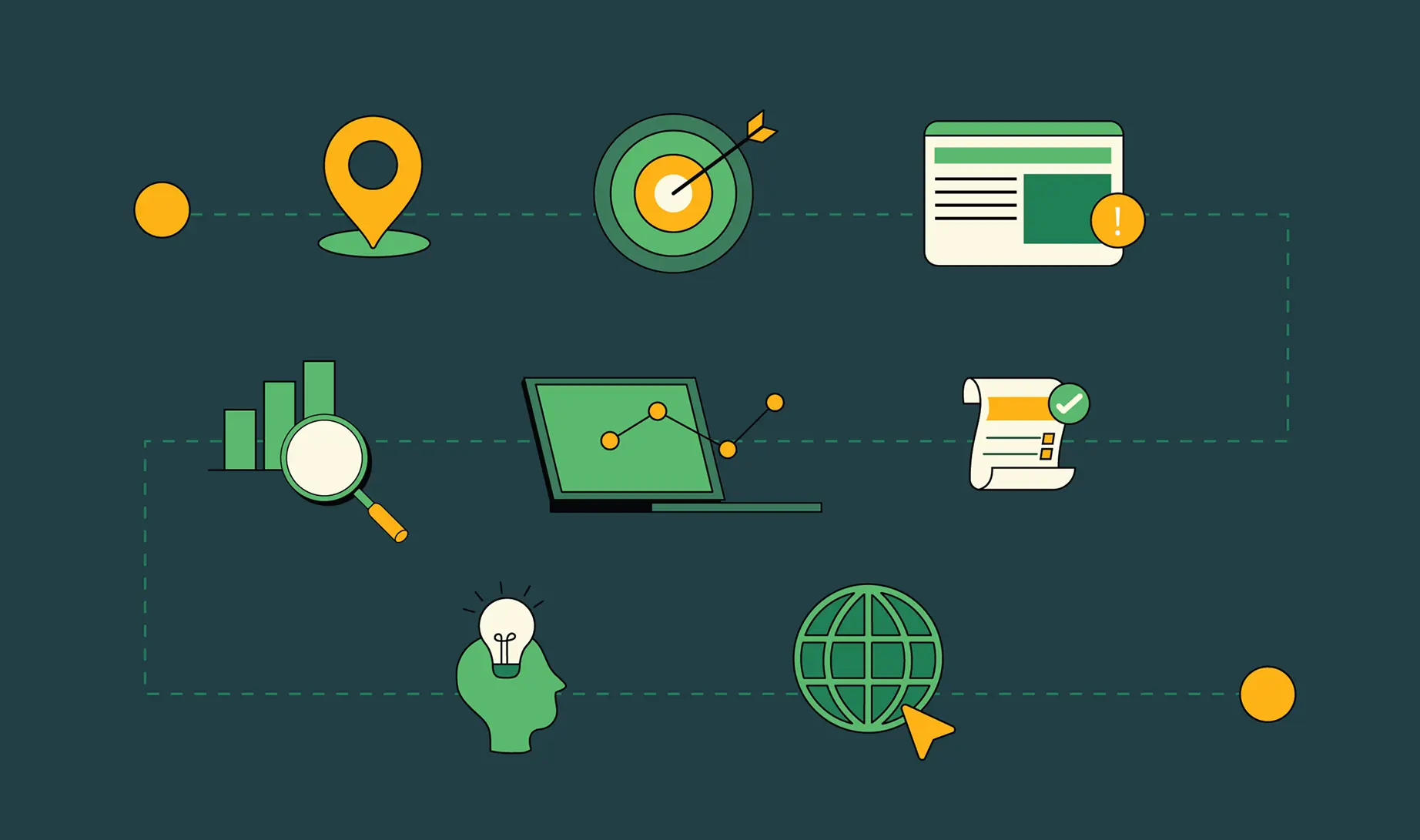
From Audit to Action: 8-Step Process to Optimize Your B2B Website Strategy for 2026 Buyers

How to Design a High-Converting Landing Page from Scratch (2026 Edition)

From Click to Customer: Proven Landing Page Conversion Optimization Techniques

How to Write Website Copy That Converts: A Step-by-Step Guide for 2026


How to Optimize a Landing Page for Maximum ROI: A Step-by-Step Breakdown


AI Landing Pages That Convert: 7 Design Principles Every AI Platform Should Follow


From Traffic to Pipeline: B2B Website Growth Strategy for Scaling Teams


B2B Website Optimization Strategy: Speed, UX, SEO, and CRO in One Playbook




Interested in seeing what we can do for your website?



.webp)
